


10 recruitment reports you can't afford to ignore in 2025
If you're serious about improving your hiring outcomes, reducing time-to-fill, and building a more predictable talent pipeline, these 10 recruitment reports should be at the centre of your recruiting strategy.
What are they?
Let’s find out!
But first, what is a recruitment report?
A recruitment report is a structured document that analyzes and presents data from your hiring process to help you make better talent acquisition decisions.Think of it as a report card. It shows you what's working, what's not, and where you need to focus your efforts.
Unlike basic hiring metrics that just show numbers, recruitment reports transform raw data into actionable insights.
They track everything from where your best candidates come from to how long each stage of your hiring process takes, giving you a complete picture of your recruiting effectiveness.
What makes recruitment reports actually useful?
Before going into the specific reports, let's address the elephant in the room.Most recruitment reports fail because they focus on vanity metrics instead of actionable insights.
A truly effective recruitment report doesn't just tell you what happened, it tells you why it happened and what you should do about it.
The best recruitment reports share three characteristics:
- They're timely (updated regularly)
- They're specific (focused on metrics that directly impact business outcomes)
- And they're actionable (they lead to concrete next steps)
1. Identifies your strengths and weaknesses
Recruitment reports excel at gathering and presenting data on both your candidates and recruiting systems, making it significantly easier to identify what's working and what needs improvement.More importantly, they enable you to cross-reference these insights with other data points, helping you understand their true impact on your hiring success.
Here ‘s a quick example.
Imagine our recruitment reports might show that Facebook generates a high volume of candidates while LinkedIn produces fewer applications.
At first glance, you might conclude that Facebook is your stronger recruiting channel.
However, when you cross-reference this volume data with performance metrics, you discover that LinkedIn candidates consistently receive higher performance ratings and stay with your company longer.
This insight completely changes your recruiting strategy and budget allocation.
2. Helps you improve your candidate experience
Your recruitment process is often the first meaningful interaction a prospective employee has with your company.Since this initial experience significantly influences whether top candidates accept your offers, creating a positive hiring journey is crucial for attracting and retaining the best talent.
Recruitment reports help you track candidate experience systematically, identifying potential friction points that might be turning away quality candidates.
These reports can reveal issues like excessive delays between interview stages, unclear communication about next steps, or cumbersome application processes that cause candidates to abandon their applications midway through.
3. Boosts your hiring strategies
Recruitment reports serve as powerful strategic tools that transform gut-feeling decisions into data-driven recruiting strategies.They provide insights that help you optimize every aspect of your hiring process, from identifying the most effective candidate sources to determining the ideal number of interview rounds for different roles.
The strategic insights from your recruitment reports enable you to create and continuously refine a hiring approach that consistently delivers high-quality candidates while providing an excellent experience for everyone involved.
This data-driven approach to recruiting helps you build more predictable, efficient, and effective hiring processes.
4. Reduces bias
Everyone carries unconscious biases that can impact hiring decisions, potentially leading to poor candidate choices and legal compliance issues.Recruitment reports help combat these biases by providing objective, data-based insights that support more equitable hiring practices.
These reports offer an unbiased view of candidate performance and recruiting effectiveness, helping you make decisions based on actual results rather than subjective impressions.
Additionally, recruitment reports provide accurate information about your hiring systems and processes, revealing which elements are performing well and which need improvement.
This objectivity is crucial because we can be just as biased about our processes and strategies as we are about people.
10 crucial recruitment reports to have on your recruiting dashboard
1. Source performance recruitment report
This is your North Star recruitment report.While most teams track where their hires come from, fewer than 40%(opens in a new tab) analyze the quality and performance of those hires by source, according to LinkedIn's Global Recruiting Trends report.
Your source performance recruitment report should track not just volume, but quality indicators like 90-day retention rates, performance review scores, and time-to-productivity by source.
For example, you might discover that while LinkedIn generates 35% of your applications, employee referrals account for 60% of your top performers after one year.
The game-changing insight here isn't just knowing which sources work, it's understanding which sources deliver candidates who stick around and excel.
This recruitment report becomes your budget allocation guide, showing you exactly where to double down your recruiting spend.
2. Time-to-fill recruitment report with stage breakdowns
Most recruitment reports show you overall time-to-fill, but that's like knowing your car's average speed for a road trip without understanding where you hit traffic.What you really need is a stage-by-stage breakdown that reveals exactly where your hiring process gets stuck.
A comprehensive time-to-fill recruitment report should break down the hiring timeline into specific stages:
- Application to initial screen (target: 3 days)
- Initial screen to first interview (target: 5 days)
- First interview to final decision (target: 10 days)
- Decision to offer acceptance (target: 3 days)
The real value comes from identifying your bottlenecks.
Maybe your hiring managers are taking too long to provide feedback after interviews, or perhaps your background check process is adding unnecessary delays.
This recruitment report helps you fix the right problems instead of just trying to speed up everything.
3. Quality of hire recruitment report
This might be the most important recruitment report you're not using.Quality of hire measures how well your new employees perform and integrate into your organization, yet only 39% of companies track this metric according to SHRM research(opens in a new tab).
Your quality of hire recruitment report should combine several data points: 90-day performance review scores, time-to-productivity metrics, cultural fit assessments, and retention rates at 6, 12, and 24 months.
Some organizations also include hiring manager satisfaction surveys and peer feedback from the new hire's immediate team.
The challenge with quality of hire recruitment reports is that they require patience.
You can't measure true quality until at least 90 days post-hire.
But companies that consistently track this metric report 70% better hiring decisions and significantly lower turnover rates.
4. Diversity and inclusion recruitment report
Beyond compliance requirements, diversity recruitment reports have become critical business tools.Research from McKinsey shows that companies in the top quartile for ethnic diversity are 36% more likely to outperform financially(opens in a new tab), making this recruitment report essential for business success.
Your diversity and inclusion recruitment report should track representation at every stage of your hiring funnel: applications received, phone screens conducted, interviews scheduled, and offers extended.
The key insight comes from identifying where diverse candidates drop off in your process.
Many organizations discover that while they attract diverse applicants, their screening process inadvertently filters out qualified diverse candidates.
For instance, requirements like "10+ years of experience" or "prestigious university degree" can disproportionately impact certain groups.
This recruitment report helps you spot these issues before they become systemic problems.
5. Cost-per-hire recruitment report
Every recruitment report should include financial metrics, but most organizations drastically underestimate their true cost-per-hire.The average cost-per-hire in the United States is $4,700 according to SHRM(opens in a new tab), but this varies dramatically by role and industry.
Your cost-per-hire recruitment report needs to capture both direct and indirect costs.
Direct costs include job board fees, recruiting agency fees, background checks, and assessment tools(opens in a new tab).
Indirect costs (often overlooked) include recruiter time, hiring manager time, interview coordination, and opportunity costs from unfilled positions.
The most sophisticated recruitment reports break down cost-per-hire by source, department, and role level.
This reveals that while your employee referral program might seem expensive with its $2,000 bonuses, the total cost-per-hire is often lower than other sources when you factor in reduced screening time and higher success rates.
6. Candidate experience recruitment report
Poor candidate experience costs companies real money.Your candidate experience recruitment report should track both quantitative and qualitative metrics.
Quantitative metrics include application completion rates, interview show-up rates, offer acceptance rates, and time between application and first contact.
Qualitative metrics come from candidate feedback surveys sent at multiple touchpoints: after application, after each interview round, and after the final decision.
The most revealing insight from candidate experience recruitment reports often comes from candidates who declined your offers.
Exit survey data from these candidates provides unfiltered feedback about your compensation, process, and company perception that you won't get anywhere else.
7. Hiring manager effectiveness recruitment report
Here's a recruitment report that most HR teams are afraid to create because it holds hiring managers accountable for their role in the recruiting process.This recruitment report should track metrics like interview feedback timeliness, candidate evaluation consistency, offer approval speed, and new hire retention rates by hiring manager.
You'll quickly identify which managers are bottlenecks in your process and which consistently make great hiring decisions.
The goal isn't to shame poor-performing hiring managers but to provide targeted coaching and support.
Maybe some managers need interview training, while others need better tools for evaluating candidates.
This recruitment report helps you customize your approach.
8. Recruitment funnel conversion recruitment report
Your recruitment funnel conversion report acts like a sales pipeline for hiring, tracking how candidates move through each stage of your process.Most organizations lose 75% of candidates between initial application and final interview, but the best companies maintain 40% conversion rates through better process design.
This recruitment report should show conversion rates at each stage:
Application to phone screen
⬇️
Phone screen to first interview
⬇️
First interview to final interview
⬇️
Final interview to offer
More importantly, it should highlight where your conversion rates differ from industry benchmarks.
The power of this recruitment report lies in its ability to predict hiring outcomes.
If you know that 5% of applications typically convert to hires, and you have 200 applications for a role, you can predict you'll make approximately 10 hires.
This helps with resource planning and expectation management.
9. Competitor analysis recruitment report
Your talent competitors aren't just other companies in your industry, they're any organization competing for the same skill sets.A competitor analysis recruitment report helps you understand the competitive landscape and adjust your strategy accordingly.
This recruitment report should track competitor job postings, salary ranges, benefits offerings, and recruitment messaging.
Tools like job board scrapers and salary comparison sites can provide much of this data automatically.
The key is identifying trends that might impact your recruiting success.
For example, if three major competitors recently increased their starting salaries for software developers by 15%, your recruitment report should flag this trend before it impacts your ability to attract and retain talent.
10. Predictive analytics recruitment report
The most advanced recruitment reports use historical data to predict future hiring needs and outcomes.Your predictive analytics recruitment report might forecast seasonal hiring needs, identify flight risks among current employees, or predict which candidates are most likely to succeed based on historical patterns.
Machine learning algorithms can analyze thousands of data points to surface insights that human reviewers might miss.
The key to successful predictive recruitment reports is starting small and building sophistication over time.
Begin with simple forecasts like "based on historical data, we'll need to hire 15 customer service representatives in Q4" and gradually incorporate more complex predictive models.
Making your recruitment reports work
The best recruitment reports aren't just data dumps, they're strategic tools that drive action.Each report should include three elements: current performance metrics, comparison to benchmarks or previous periods, and specific recommendations for improvement.
Consider creating a monthly "recruitment report dashboard" that combines key metrics from multiple reports into a single view.
This helps busy executives quickly understand recruiting performance without drowning in details.
Remember that recruitment reports are only valuable if they change behavior.
If your reports aren't leading to concrete actions and improved outcomes, it's time to rethink your approach.
The goal isn't to create perfect reports, it's to create reports that make your recruiting better.
Free recruitment report template
[Organization]'s recruitment report
Prepared by: [Your first and last name]Job title: [Your job title]Email: [Your business email address]Report period: [Date range]Date prepared: [Date]Executive summary
[Write a brief 2-3 sentence overview of the recruitment period's key highlights, major accomplishments, and overall performance against targets.]Recruitment objectives
[Describe the specific goals and scope of your recruitment efforts during this period. Include information about roles filled, departments supported, and strategic hiring initiatives.]Key metrics at a glance
- Total positions filled: [Number]
- Total candidates sourced: [Number]
- Average time-to-fill: [Number] days
- Total recruitment cost: $[Amount]
- Cost-per-hire: $[Amount]
- Offer acceptance rate: [Percentage]%
Candidates recruited
Total hires: [Number]- [Candidate name], [Job title], [Department] - Start date: [Date]
- [Candidate name], [Job title], [Department] - Start date: [Date]
- [Candidate name], [Job title], [Department] - Start date: [Date]
- [Candidate name], [Job title], [Department] - Start date: [Date]
- [Candidate name], [Job title], [Department] - Start date: [Date]
Source performance analysis
Most effective recruiting sources:- [Source name]: [Number] hires, [Percentage]% of total
- [Source name]: [Number] hires, [Percentage]% of total
- [Source name]: [Number] hires, [Percentage]% of total
- [Source]: $[Cost] spent, [Number] hires, $[Cost-per-hire]
- [Source]: $[Cost] spent, [Number] hires, $[Cost-per-hire]
- [Source]: $[Cost] spent, [Number] hires, $[Cost-per-hire]
Budget breakdown
Total budget allocated: $[Amount]Total amount spent: $[Amount]Budget utilization: [Percentage]%Cost categories:
- Job board postings: Budgeted $[Amount], Actual $[Amount]
- Recruiting agency fees: Budgeted $[Amount], Actual $[Amount]
- Employee referral bonuses: Budgeted $[Amount], Actual $[Amount]
- Assessment tools: Budgeted $[Amount], Actual $[Amount]
- Career fair participation: Budgeted $[Amount], Actual $[Amount]
- Background checks: Budgeted $[Amount], Actual $[Amount]
Time-to-fill analysis
Average time-to-fill by department:- [Department]: [Number] days
- [Department]: [Number] days
- [Department]: [Number] days
- Entry-level positions: [Number] days
- Mid-level positions: [Number] days
- Senior-level positions: [Number] days
Diversity and inclusion metrics
Diversity of candidate pool:- Total applications received: [Number]
- Diverse candidate applications: [Number] ([Percentage]%)
- Total hires: [Number]
- Diverse hires: [Number] ([Percentage]%)
Candidate experience insights
Candidate feedback summary:- Average candidate experience rating: [Rating] out of 5
- Application process satisfaction: [Percentage]%
- Interview process satisfaction: [Percentage]%
- [Positive feedback theme]
- [Area for improvement]
- [Suggested enhancement]
Challenges encountered
[Describe the main challenges faced during this recruitment period, including market conditions, competitive factors, or internal process issues. Explain how these challenges were addressed and their impact on results.]Key challenges:
- [Challenge 1]: [Description and impact]
- [Challenge 2]: [Description and impact]
- [Challenge 3]: [Description and impact]
- [Resource allocation suggestion]: [Expected outcome]
Success stories and wins
[Highlight 2-3 specific success stories from this recruitment period, including difficult positions filled, process improvements implemented, or exceptional candidate experiences.]Looking ahead
[Outline upcoming recruitment priorities, anticipated challenges, and strategic initiatives for the next reporting period.]Next period priorities:
- [Priority 1]
- [Priority 2]
- [Priority 3]
Summary and ROI
[Provide a 2-3 sentence summary of the recruitment campaign's return on investment, highlighting key achievements and overall value delivered to the organization.]This report covers the recruitment activities from [start date] to [end date]. For questions or additional details, contact [your name] at [your email].
Get organized with Recruit CRM’s reports and dashboards
From boolean search to radius search, do everything at one place.You can always improve what you can measure.
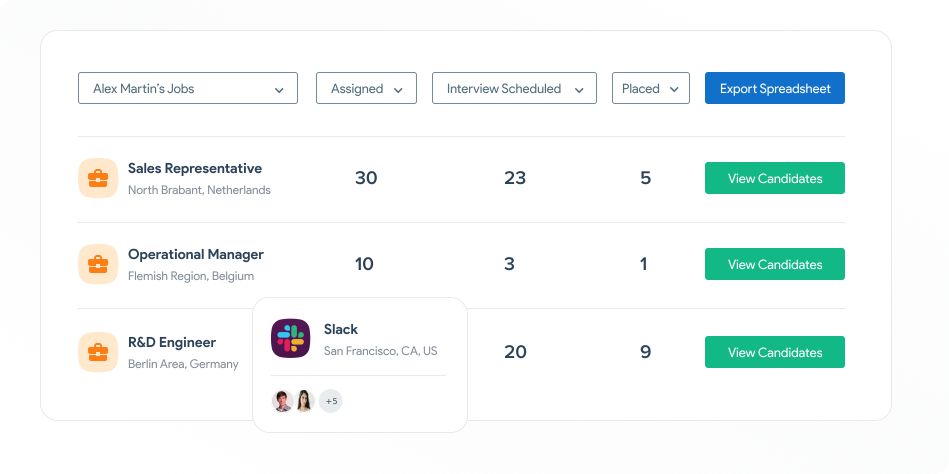
Recruit CRM offers various reports to make number crunching interesting.
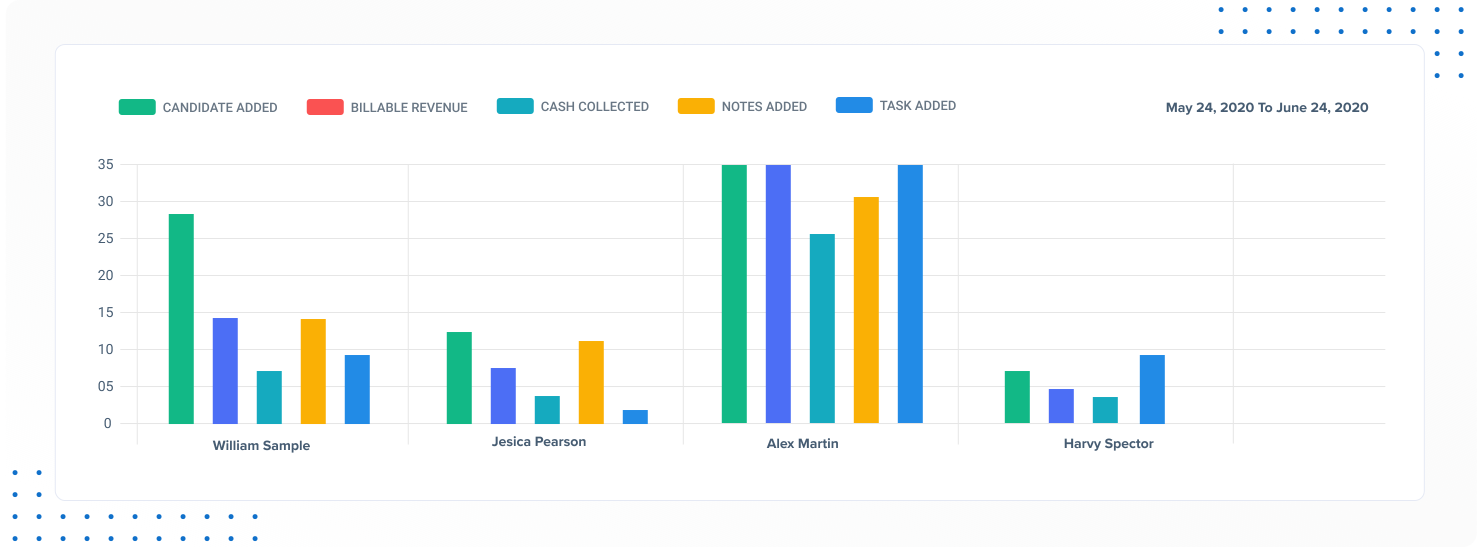
Want more? It also offers performance reports. Have all the important KPIs you need within a few clicks.
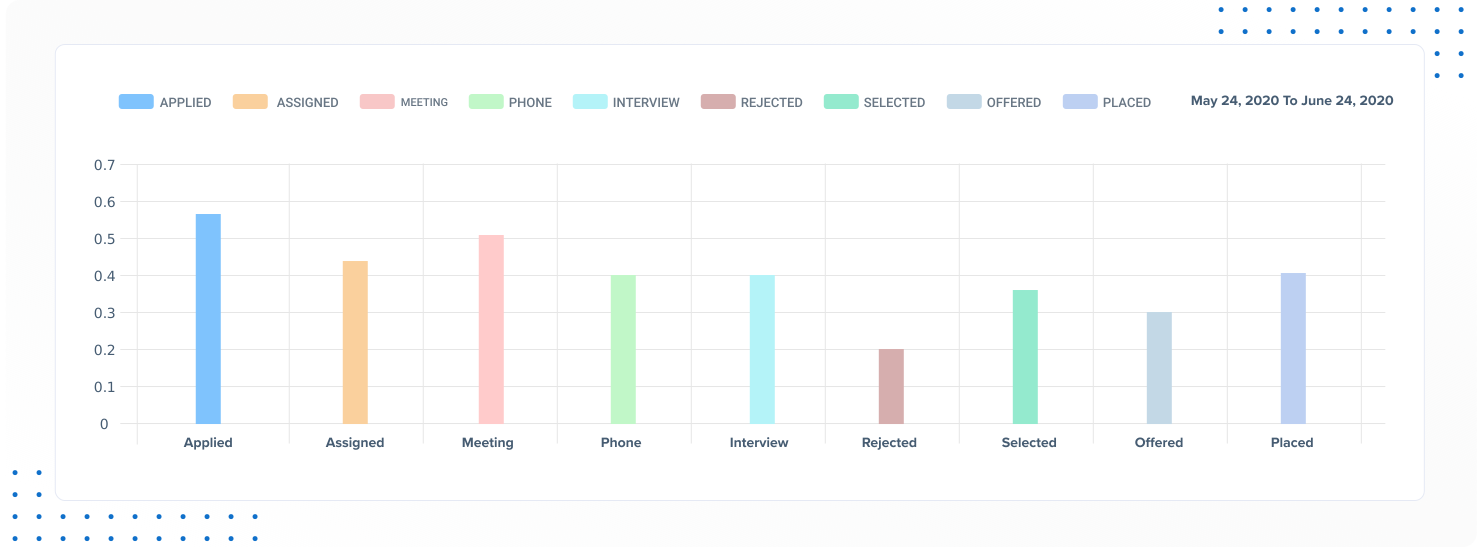
Glance through your candidate metrics to figure out a strategy for the upcoming months.
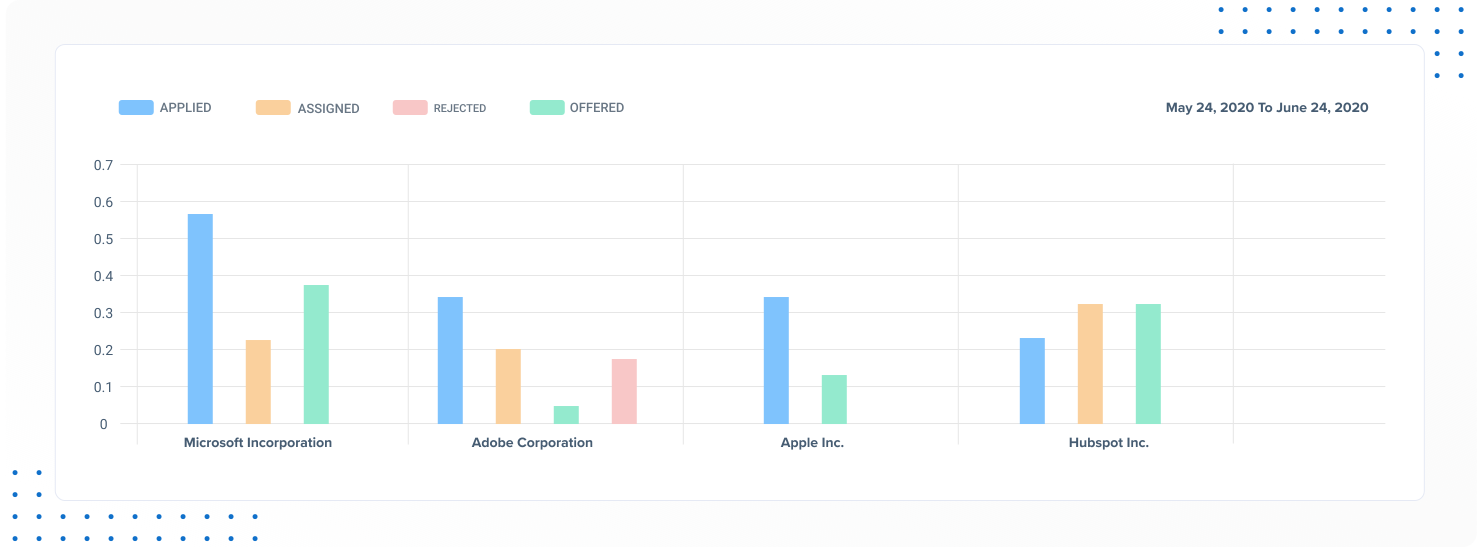
Check your reports or dive deep into your recruitment agency’s data to discover new opportunities.
It’s easy to get started!
You can immediately start a zero-commitment free trial here or book an online demo with us!
Final thoughts
The organizations that consistently attract and retain top talent aren't necessarily the ones with the biggest budgets or the best employer brands.They're the ones that understand their recruiting data and use it to make smarter decisions.
Start with one or two of these recruitment reports and gradually build your analytics capability.
The investment in time and resources will pay dividends in better hires, lower turnover, and more predictable recruiting outcomes.
Your future self (and your hiring managers) will thank you.
Frequently asked questions
1. How often should recruitment reports be generated and reviewed?
The frequency depends on your hiring volume and organizational needs.Most companies benefit from weekly reports for active campaigns, monthly reports for overall performance, and quarterly reports for strategic analysis.
High-volume organizations might need daily updates, while smaller companies can work with monthly or quarterly reports.
The key is establishing a consistent schedule so stakeholders know when to expect insights.
2. Who should have access to recruitment reports and how should they be shared?
Recruitment reports should be shared based on relevance and decision-making authority.Core recruiting teams and HR leadership need access to detailed reports, while hiring managers typically only need metrics for their specific departments.
Executive leadership should receive high-level summaries focusing on business impact metrics.
Consider creating different report versions for different audiences and establish clear protocols for sharing sensitive data like candidate information or salary details.
3. How can small businesses with limited resources create effective recruitment reports?
Small businesses can create impactful reports by focusing on critical metrics rather than tracking everything.Start with basic metrics like time-to-fill, cost-per-hire, and source effectiveness using simple spreadsheet templates.
Free tools like Google Analytics can track career page performance, while basic survey tools gather candidate feedback.
Focus on metrics that directly impact your hiring success rather than getting overwhelmed by complex analytics.


