Recruit CRM
Menu

Recruiter’s tool box

40+ FREE recruiting email templates to win in 2025!Read more
How to create custom GPTs for recruiters? [+ 11 useful extensions & 14 efficient plugins]Read more
Download 8 FREE candidate experience survey questions right now!Read more
Help center

Looking for assistance? Access quick solutions to make the most out of Recruit CRM

Explore our Help Centre

Hot on the block

How to streamline your hiring process? [6 easy tips]
Why do recruitment agencies switch to Recruit CRM?
What is an applicant tracking system? Explained in detail [2025 edition]

Boost your revenue by 10x with data-driven insights

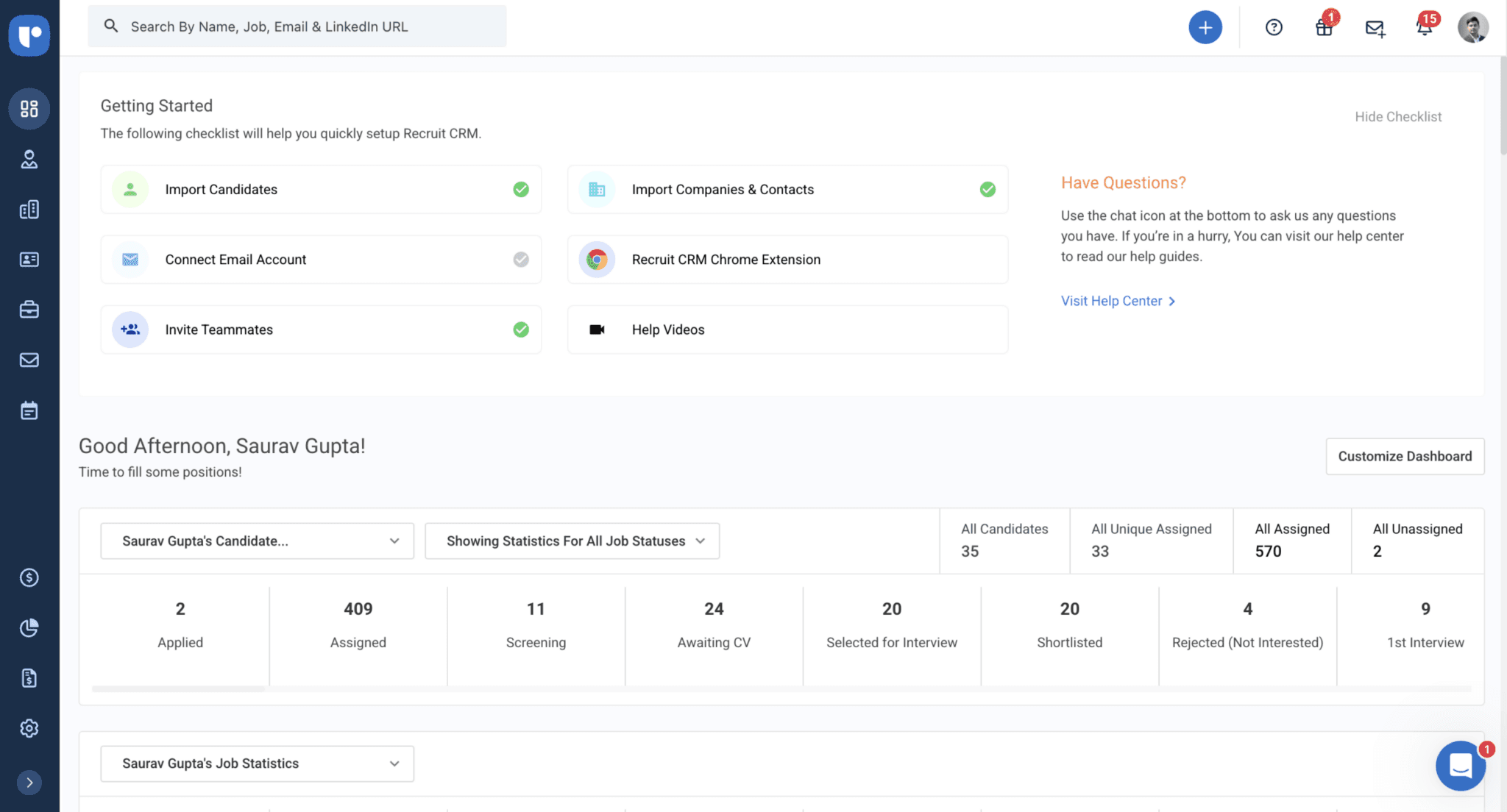
Recruit CRM’s reports and Dashboard give you the power to track deals and performance in real time, helping you close more opportunities and drive higher revenue.

*No credit card required

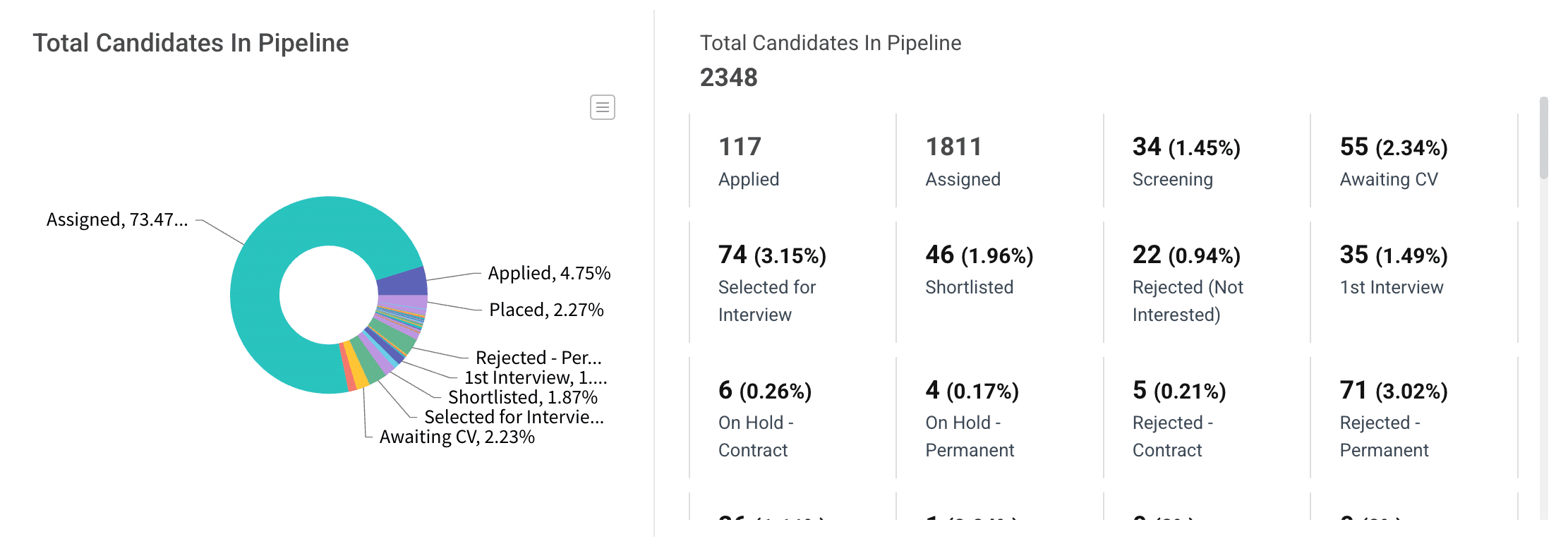
Account Overview Report

Get a complete view of your pipeline with the Account Overview Report, which offers real-time insights into candidates and deals

You can track the

Dashboard Preview
Dashboard Preview
Dashboard Preview
Dashboard Preview
Dashboard Preview
Dashboard Preview

Job Statistics Report

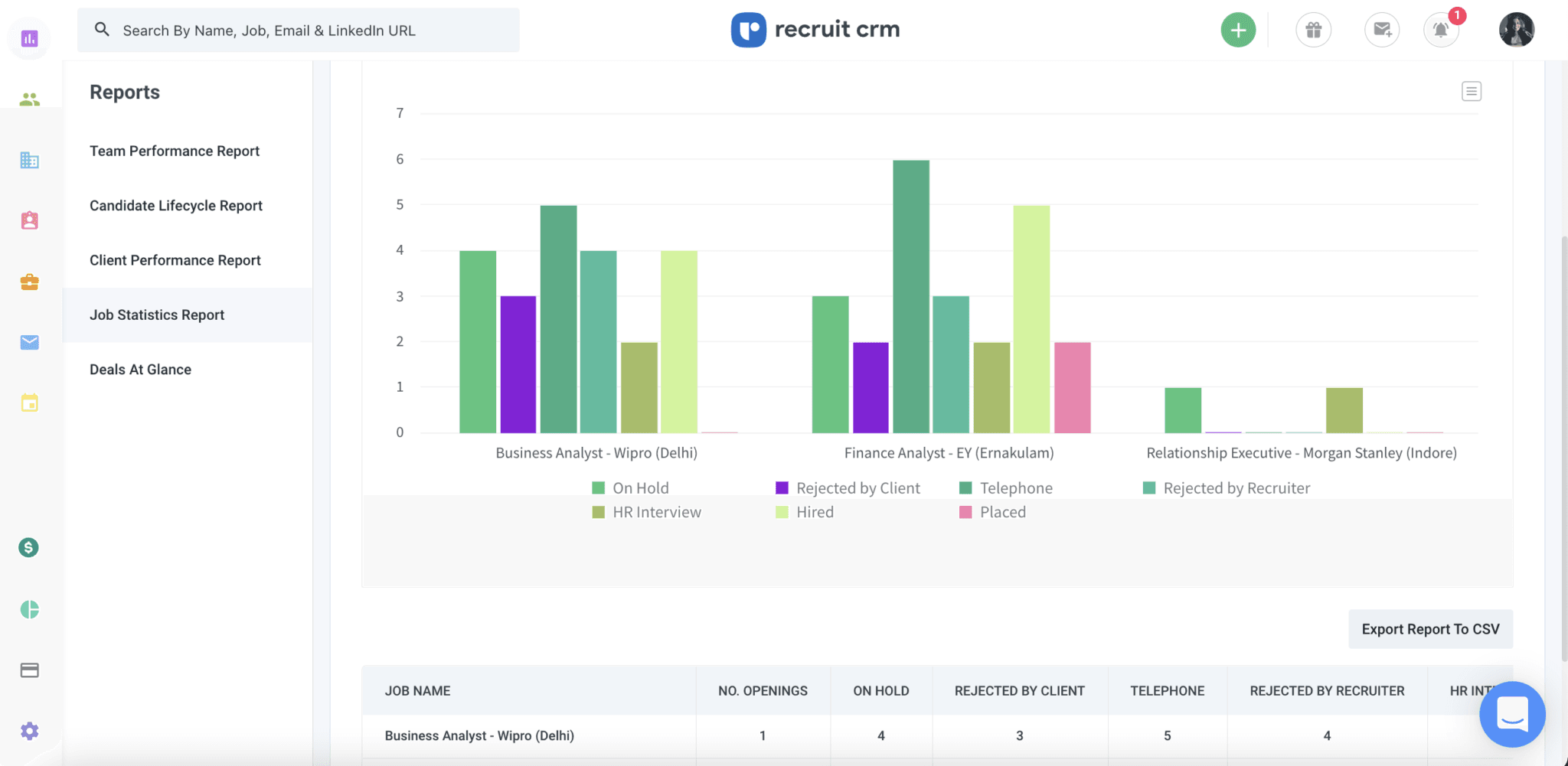
Easily track job performance, measure progress, and identify which roles need attention with the Job Statistics Report.

Job Statistics Report

Team Performance Report

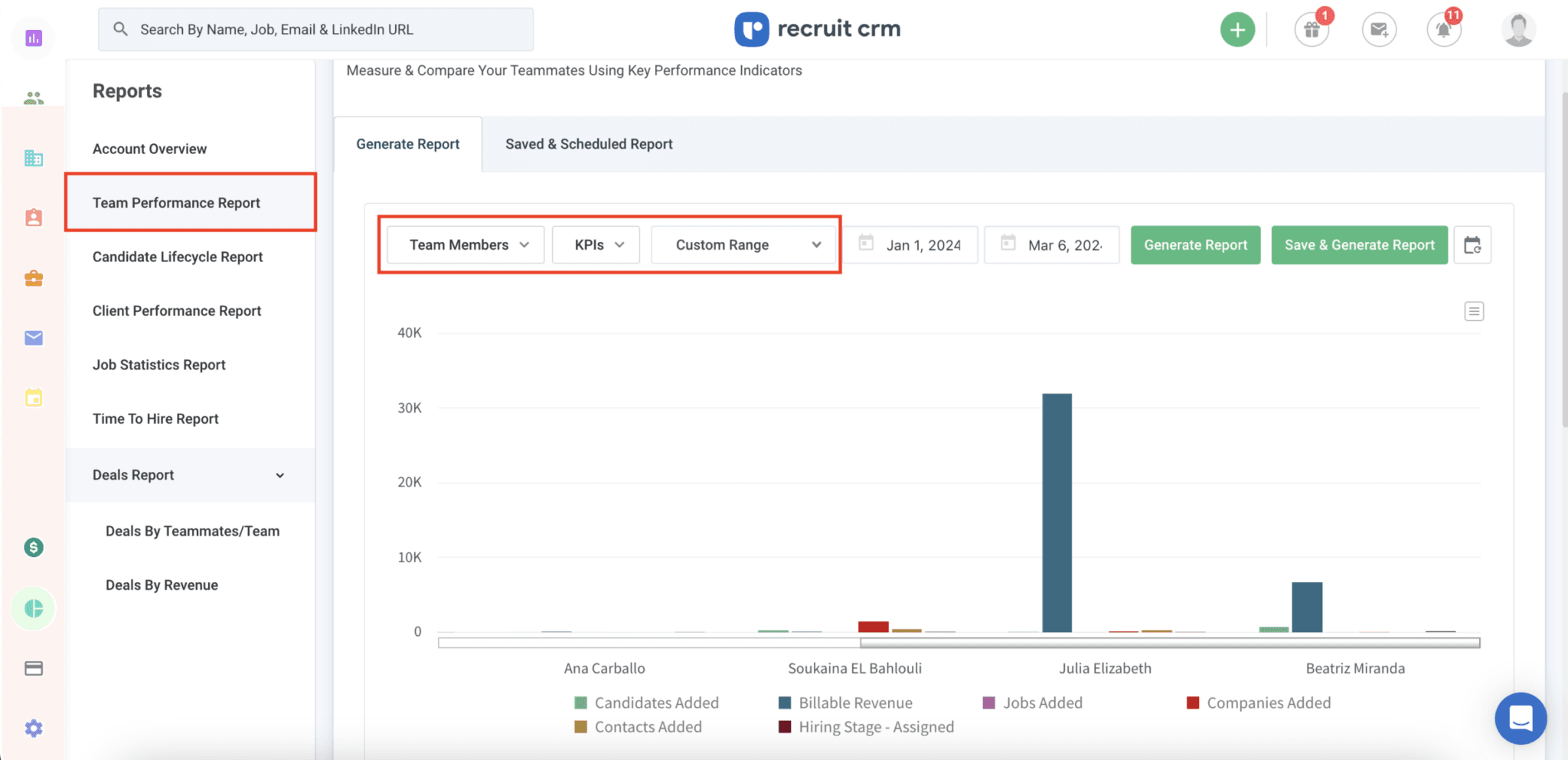
Monitor individual recruiter performance with the Team Performance Report to optimize your team’s efforts.

Team Performance Report

Client Performance Report

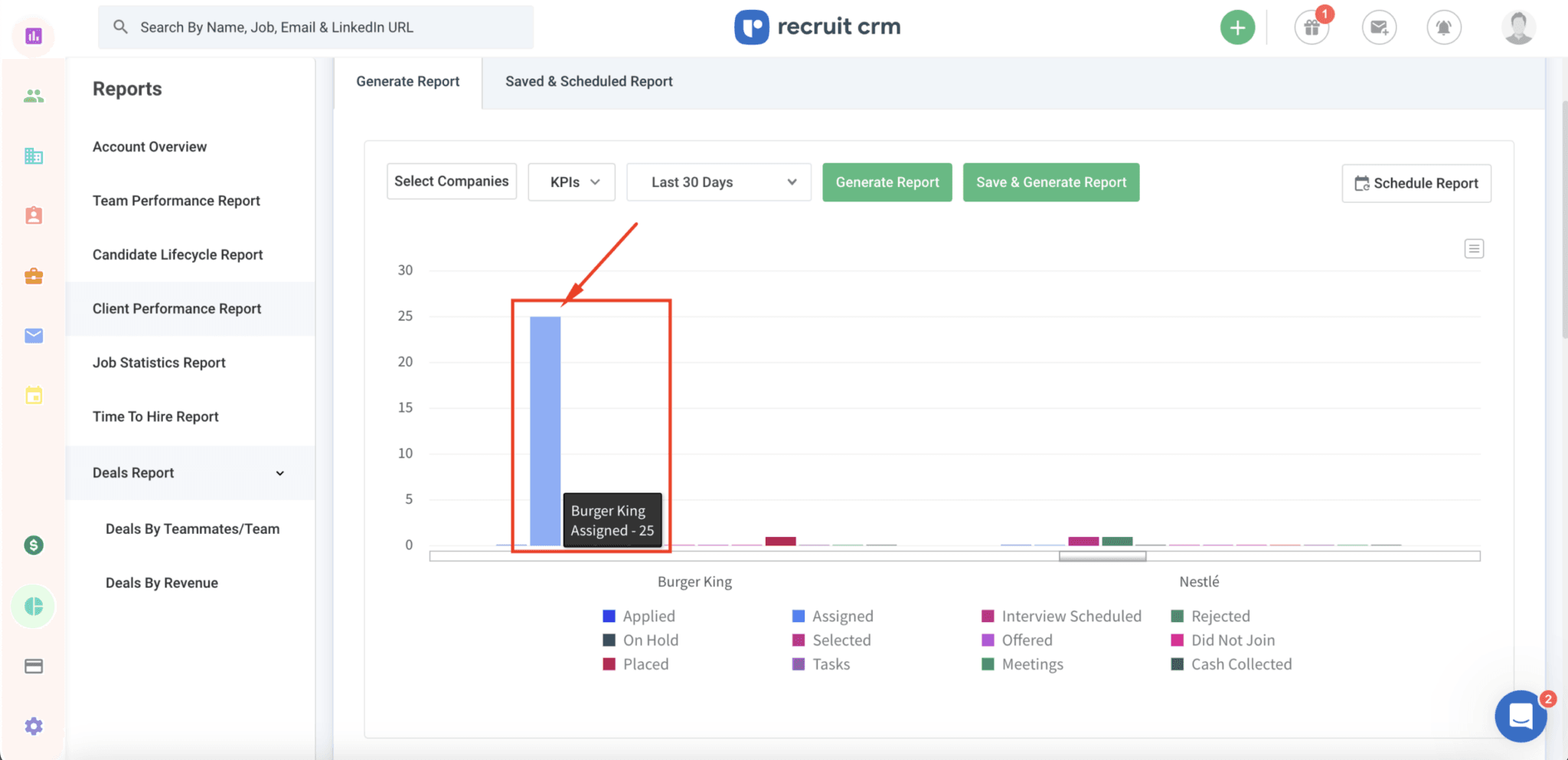
Compare client success and monitor deal and placement progress with the Client Performance Report.

Client Performance Report

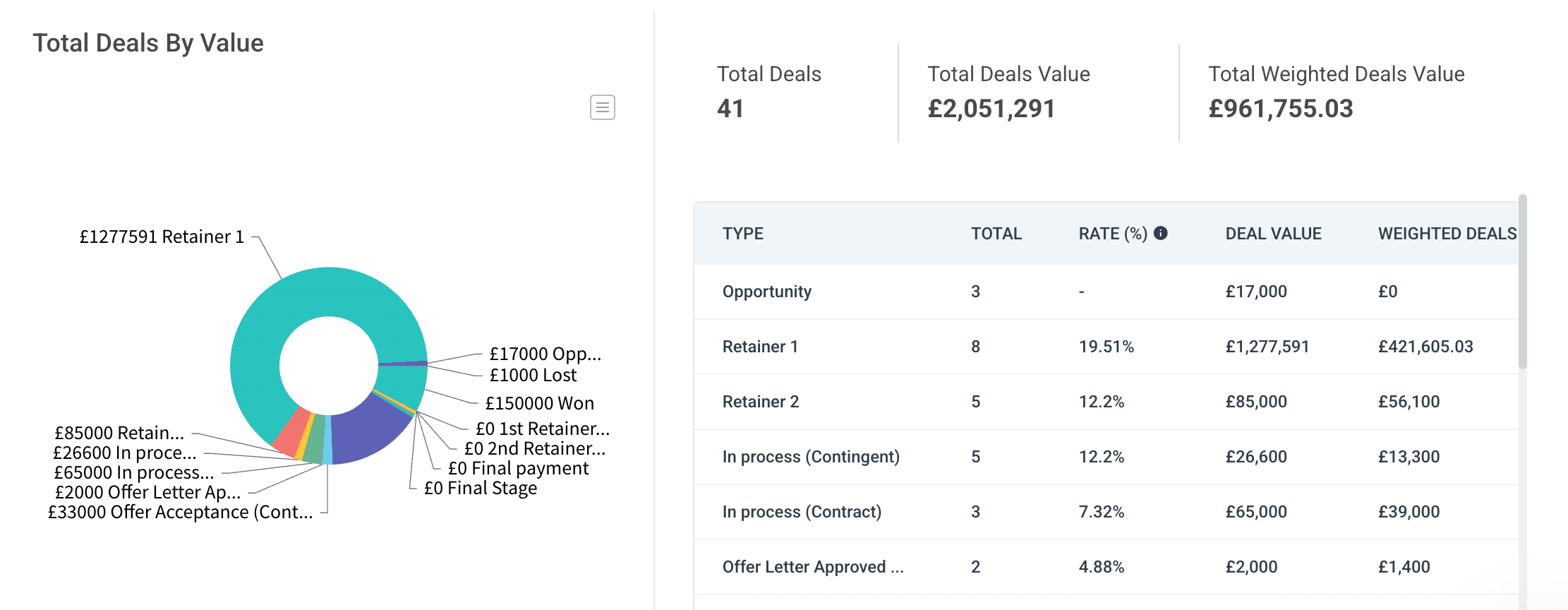
Deals by Revenue Report

Track the financial success of your deals and prioritize high-value opportunities with the Deals by Revenue Report.

Deals by Revenue Report

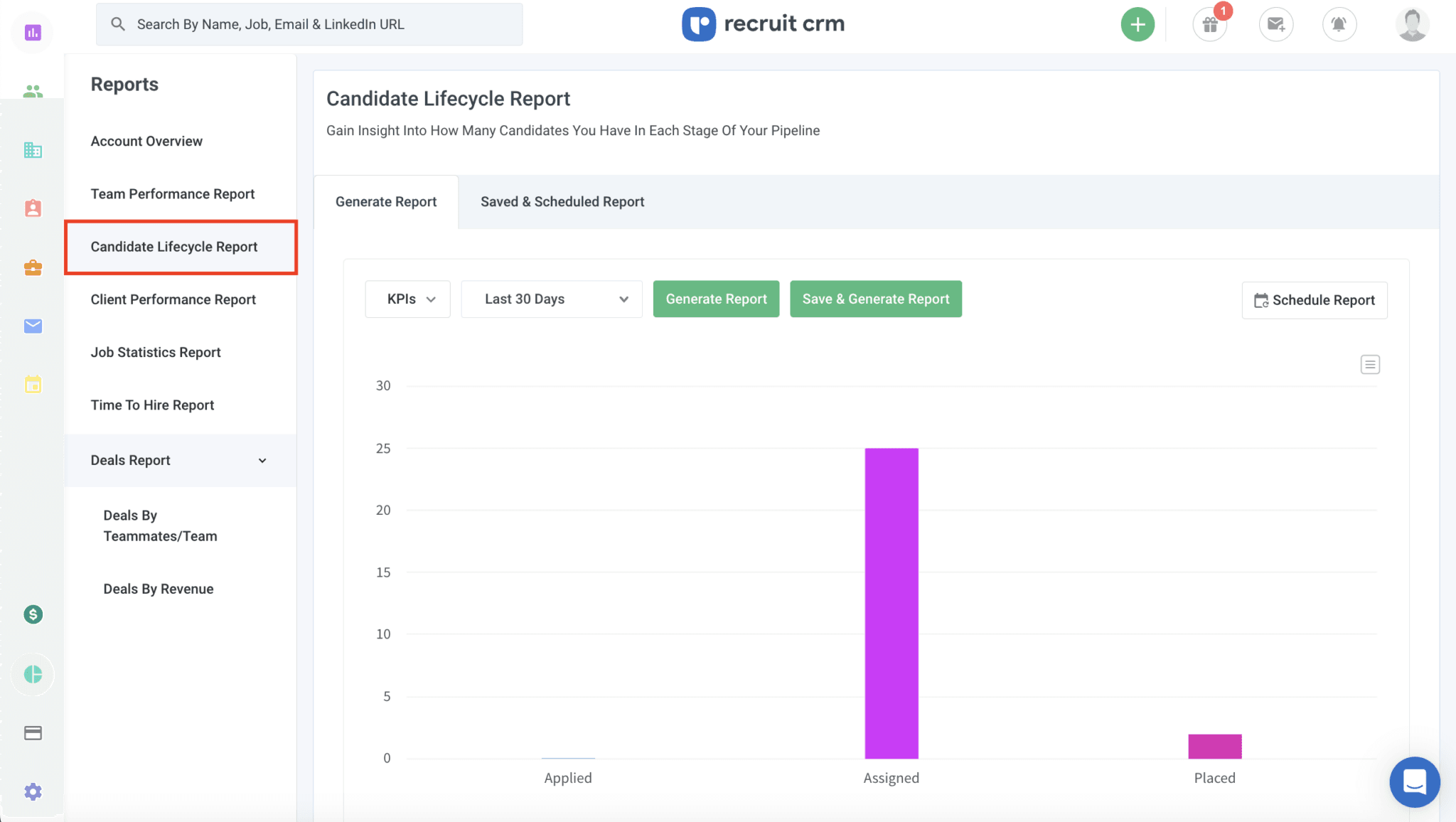
Candidate Lifecycle Report

See the entire journey of your candidates from start to finish with the Candidate Lifecycle Report, helping you streamline and optimize your recruitment process.

Candidate Lifecycle Report

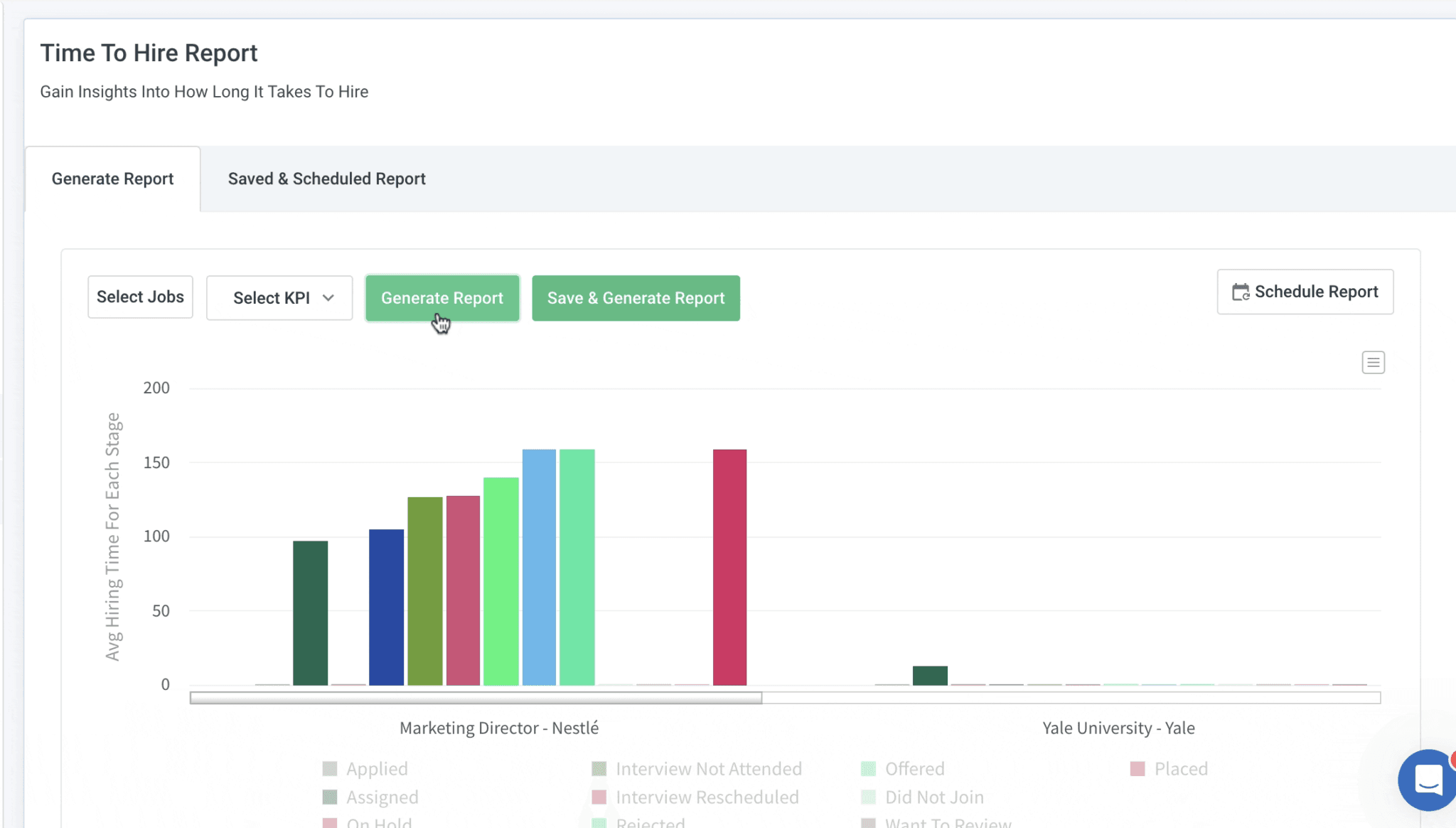
Time to Hire Report

Track how long it takes to fill each role and identify opportunities to speed up your recruitment process with the Time to Hire Report.

Time to Hire Report

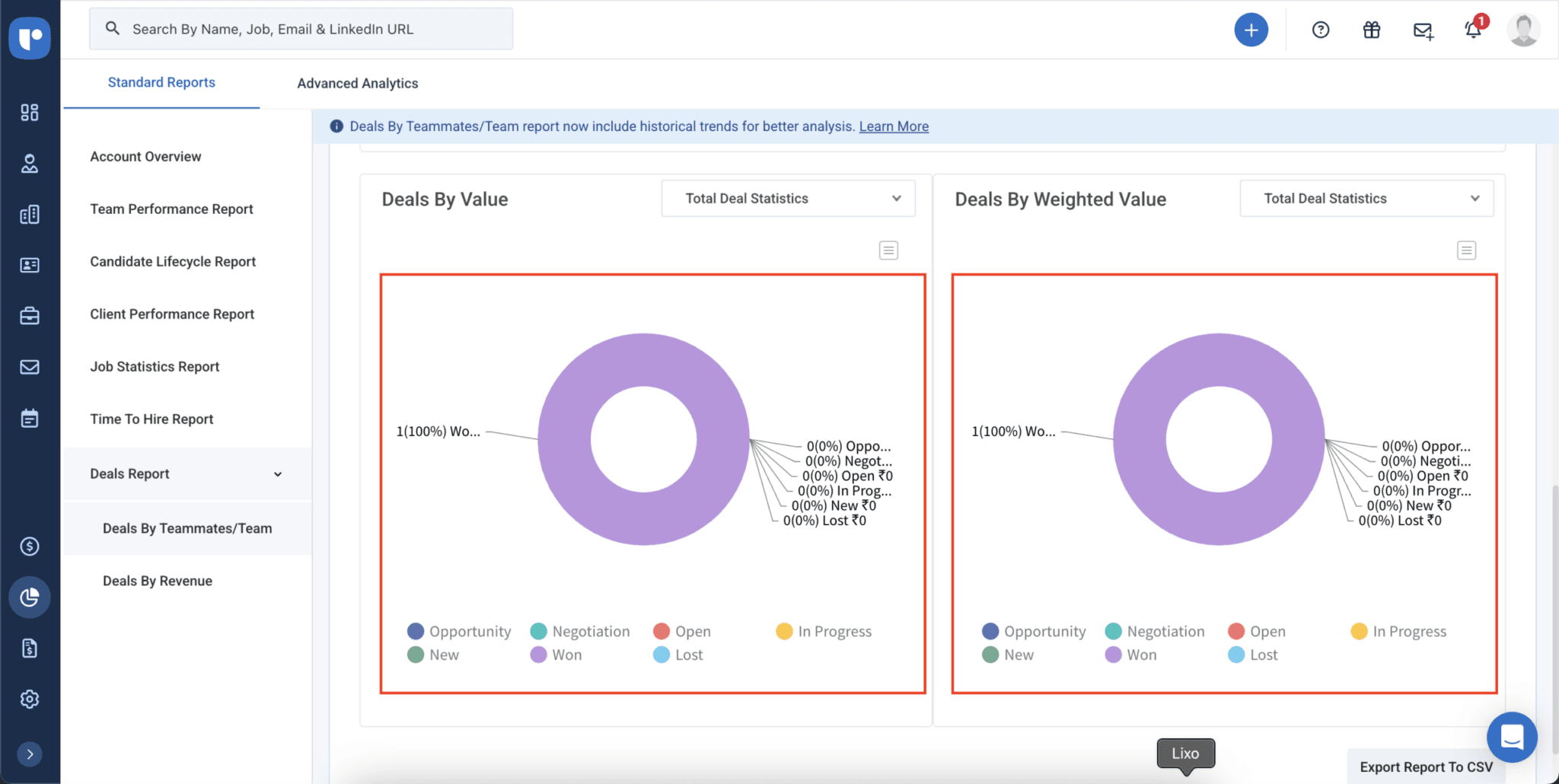
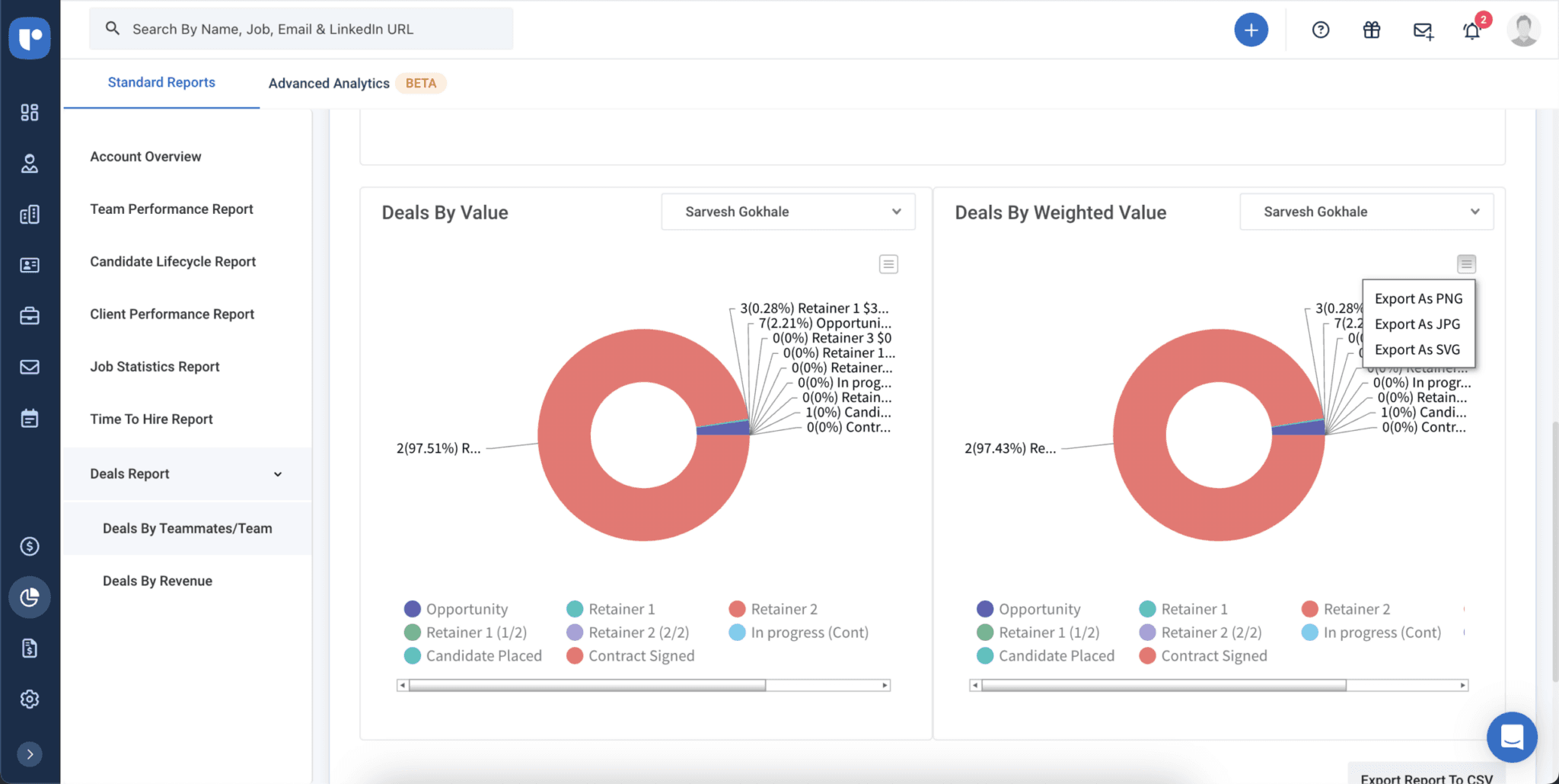
Deals by Teammates/Team Report

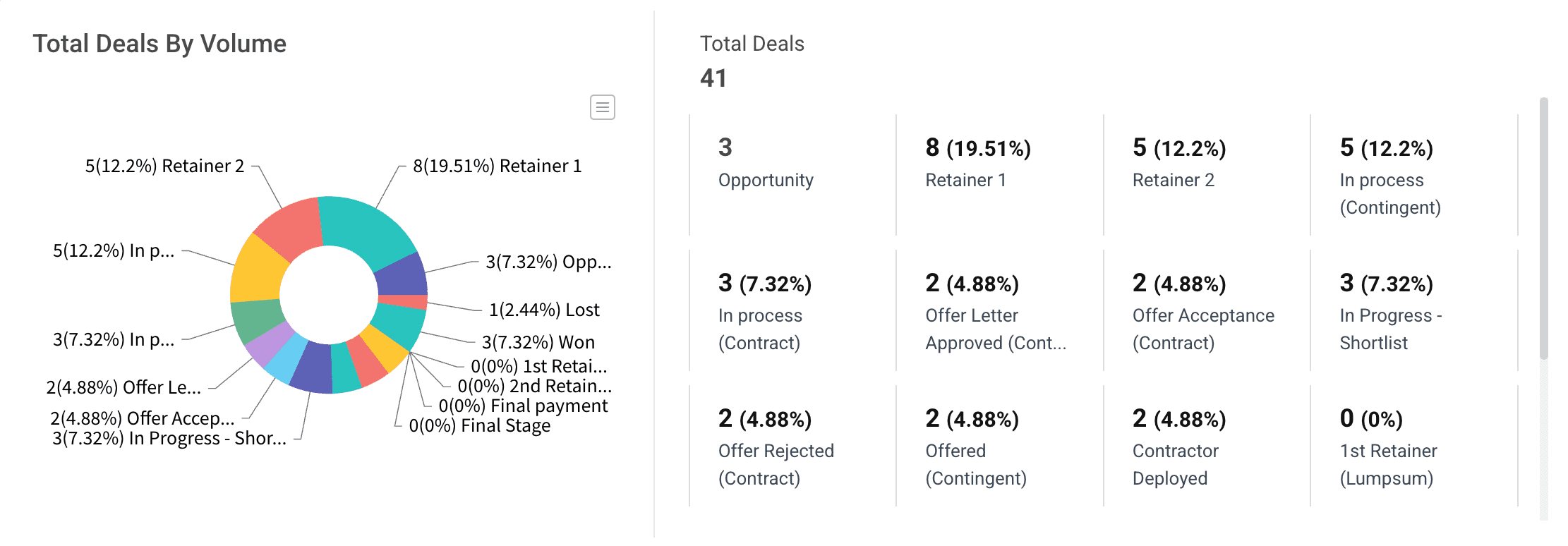
Get an overview of the number of deals in different stages and their value for various teams and team members with the Deals by Teammates/Team Report.

Deals by Teammates/Team Report

Customizable dashboard

Customize your Dashboard to display the reports and metrics that matter most to you.

Customizable dashboard
logo
logo
logo
logo
logo
logo
logo
logo
logo
logo
logo
logo
logo
logo
logo
logo
logo
logo
logo
logo
logo
logo
logo
logo
logo
logo
logo
logo
logo
logo
logo
logo
logo
logo

You might be wondering

Still have more questions? Visit our FAQ repository

Or just book a demo and see for yourself!

A report is a detailed breakdown of specific recruitment data (like time-to-hire or team performance), while a dashboard is the central view that brings multiple reports together.
The Dashboard gives you a snapshot of all key metrics in one place for quick decision-making.