




How to master effective candidate communication? [Free outreach templates inside]


Candidate communication keeps applicants informed from first outreach to final hiring updates. Clear messages, centralized tools, timely follow-ups, and ready-to-use templates help recruiters reduce delays, set expectations, and improve candidate experience.
If we are so particular about communication in our everyday life, why overlook it during recruitment?
With the right tool, you can manage candidate communication from one place and polish your employer brand simultaneously.
You can choose the best communication tool based on its organizational and integration capabilities, user-friendliness, and other advanced features. This will help you manage candidate communication in one place using a centralized platform and various management strategies.
Continue reading to learn more.
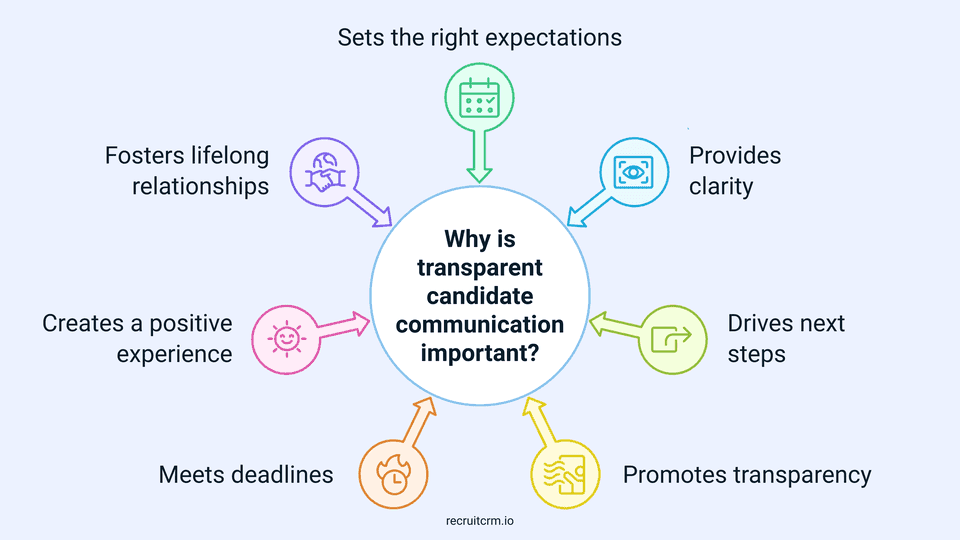
Why is transparent candidate communication important?
Effective communication is the cornerstone of successful recruitment.Yet, it’s a stark reality that a whopping 52% of candidates find themselves in a communication blackout for two to three months, or even more, after applying.
This is an alarming statistic that needs urgent redressal.
If you’re aiming to build trust amongst your candidate pool, reduce their uncertainty, and provide them with a good candidate experience, transparent communication is crucial.
While it helps you manage expectations, it also makes your employer brand shine, even for candidates who are not selected.
How to choose efficient communication tools for candidate communication?
Choosing an efficient communication tool becomes a lot easier when it aligns with your needs and the expectations of modern recruiting.The following key factors can help you choose an efficient communication tool easily.
1. Organisation abilities
You can assess the efficiency of your communication tool by how well it keeps everything organized.Select a tool that allows you to track candidate interactions, store conversations, and keep everything in one place. Look for features like categorization or tagging, as they can help you manage candidate communication more easily.
Ensure your communication tool includes automated features, such as reminders(opens in a new tab) and follow-up settings. This way, your candidates wont have to wait too long for your response, giving them a positive candidate experience.
2. Integration features
Invest in a communication tool that integrates seamlessly with other platforms you use, such as your Applicant Tracking System (ATS), CRM, or scheduling software.Integration helps centralize your processes and reduces the need to switch between different systems. For instance, tools like automated scheduling tools integrate with your calendar and email, allowing you to schedule interviews directly from your communication platform.
3. User friendliness for recruiters and candidates
Select a communication tool that is intuitive not only for you but also for your candidates, to avoid delayed communication or missed interactions.Look for platforms with simple navigation, easy-to-use interfaces, and customizable email templates that help recruiters respond quickly. Many tools allow recruiters to automate responses to common queries or create message templates. This helps reduce response time and increase efficiency.
The tool should allow candidates to interact with your team without confusion. For example, recruiting chatbots integrated into your platform can answer candidates’ frequently asked questions and let them schedule interviews at their convenience.
4. Scalability
As your organization and candidate communication continue to grow, your tools should be able to handle increased traffic and tasks.Go for communication tools that scale up easily, allow you to add more users, handle high volumes of messages, and track multiple hiring processes simultaneously.
Look for cloud-based platforms like Recruit CRM, which can grow with your team and offer huge storage and scalability to manage larger candidate pools as your business expands.
5. Candidate data security
It's always better to choose a tool that offers strong encryption and complies with the data protection regulations (such as GDPR), as recruitment often involves managing sensitive candidate information.Consider purchasing modern communication platforms that offer secure logins, end-to-end encryption, and regularly updated security protocols.
Before making a purchase, check whether your communication tool is compliant with your national data protection rules to ensure a legal recruitment process.
6. Advanced features
Consider communication tools that offer advanced features such as AI-powered candidate screening, automated scheduling, and follow-up messages to save time and reduce workload.With the help of AI-driven platforms and tools (like chatbots), you can answer candidate questions, provide status updates, and even schedule interviews with ease. This allows you to focus on higher-priority tasks by automating repetitive tasks.
Such advanced features can not only streamline your entire recruitment process but also improve the candidate experience, strengthening your employer brand.
How to manage recruiter communication in one place?
1. Use a centralized platform
A centralized platform can help you keep all candidate communication in one place, whether via email, chat, or phone. Having everything stored in a single tool eliminates the need to switch between different hiring platforms.By centralizing your communication, you can ensure that all interactions are easily accessible to you. Such platforms allow you to quickly reference past conversations, follow-up notes, and essential candidate details. This reduces the chances of missing important candidate updates and helps you stay organized.
2. Strategize your management
You must adopt and implement effective communication management strategies tailored to your preferred candidates and talent pool.Begin by experimenting with various communication styles and templates, and keep track of their effectiveness using feedback and recruitment metrics. Strong communication skills(opens in a new tab) also help recruiters create more meaningful candidate interactions. Based on the performative score of your strategy, select the best ones for your organization.
Some common strategies widely used for candidate communication are:
- Automate your systems to respond to candidate queries within 1-2 business days to keep them engaged. If your response is delayed, candidates may lose interest or move forward with other opportunities.
- Schedule timely follow-ups, especially after an interview or during a significant stage in the recruitment process. For example, after an initial screening, send a follow-up email to update candidates on the next steps of the hiring process.
- Always ensure that your messages are clear, concise, and well-structured to help candidates understand what is expected from them. This reduces their confusion and provides professional clarity.
3. Map out essential candidate touchpoints
As a recruiter, you will be in touch with the candidates throughout the entire recruitment process. The whole candidate journey can be divided into four key stages.By identifying different focus points of communication in each stage, you can work on your candidate relationship management effectively from your CRM or other software:
| Candidate journey stage | Candidate communication focus point | How to manage candidate communication from one place |
| The pre-application stage | Communicate job details, required qualifications, deadlines, company culture, and what candidates can expect from the hiring process. | Use a centralized platform to store and share job descriptions and hiring expectations. Automate job alerts and application instructions through a single platform. |
| Post-application stage | Acknowledge candidates' applications and let them know when they can hear back from you | Automate acknowledgement emails, track application status to schedule follow-ups |
| Pre-interview stage | Confirm interview details with the candidate and ensure they know the time, location, and format of the interview | Use scheduling tools to store data and reminders |
| Post interview stage | Provide candidates with interview feedback (positive or constructive) regardless of whether they’re selected. | Use templates for feedback emails and send tailored messages automatically to provide a personalized candidate experience. |
4. Use clear communication to set expectations
Your candidates should always know what to expect from the process, as transparency helps them feel more confident about you.For example, if you’ve told a candidate that they will hear back within a week after the interview, make sure to follow through with that promise. If something on your end delays the process, keep them informed.
You can establish such clear candidate communication through automated status updates and customizable email templates. To clearly outline the next steps for the candidate, you can send additional documents, schedule additional interviews, or prepare candidates for interviews/assessments.
5. Make use of candidate communication templates
Templates let you quickly respond to common messages, such as interview confirmations, follow-up requests, and rejection notices.With pre-written, customizable templates, you can maintain consistency in your communication and reduce possible errors and time-per-hire.
Templates ensure that all team members are on the same page regarding candidate communication. By making them accessible to all recruiters in your team, you can effectively manage candidate communication as the messaging format, tonality, and structure remain consistent for your recruitment brand.
Get your hands on these 5 effective candidate communication templates
Now that we know how vital communication templates are (especially when it comes to managing candidate communication), here are some free ones that you can use in different scenarios, ranging from candidate sourcing messages to post-interview emails.1. Sourcing message for potential client template
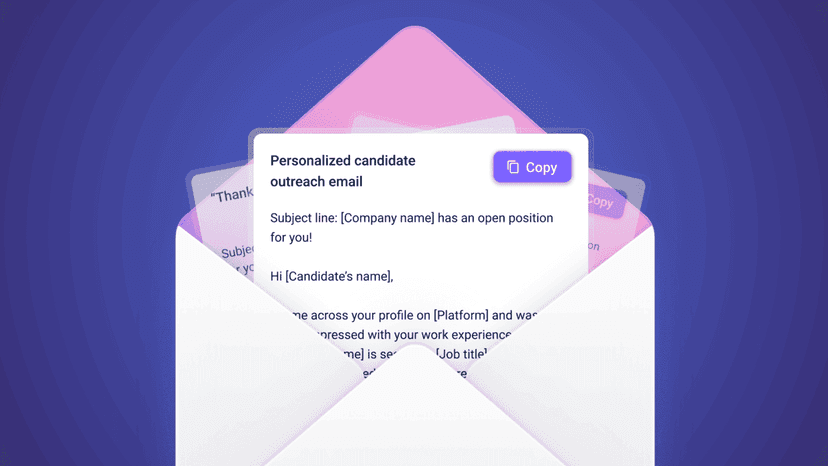
Subject: Exciting Opportunity at [Company Name] – Let's Connect!
Hi [Candidate's Name],
I came across your profile and was impressed with your experience in [Relevant Skill/Field]. We currently have an opening for [Job Title] at [Company Name], and I believe your background aligns well with the role.
Would you be open to connecting for a quick conversation about this opportunity? I’d love to learn more about your career goals and discuss how we could work together.
Looking forward to hearing from you!
Best regards, [Your Name] [Your Job Title] [Company Name]
2. Follow-up after application submission template
Subject: Thank you for your application – Next steps
Dear [Candidate's Name],
Thank you for submitting your application for the [Job Title] position at [Company Name]. We’ve reviewed your resume, and we are currently in the process of evaluating candidates.
You can expect to hear back from us by [Date], and we’ll provide you with an update on the next steps. In the meantime, please feel free to reach out if you have any questions.
We appreciate your interest in joining our team!
Best regards, [Your Name] [Your Job Title] [Company Name]
3. Interview scheduling message template
Subject: Interview Invitation for [Job Title] Position
Dear [Candidate's Name],
We’re excited to invite you to interview for the [Job Title] position at [Company Name]. We were impressed by your background, and we’d love to discuss your qualifications further.
Please let us know your availability for an interview within the next few days. We’re available on [Insert Available Dates/Times] and can conduct the interview [via phone/Zoom/in-person].
Looking forward to connecting soon!
Best regards, [Your Name] [Your Job Title] [Company Name]
4. Post interview thank you message template
Subject: Thank you for your time, [Candidate's Name]
Dear [Candidate's Name],
Thank you for taking the time to interview with us for the [Job Title] position at [Company Name]. It was a pleasure learning more about your experience and skills.
We will be reviewing all candidates and expect to make a decision by [Date]. We will reach out to you as soon as we have an update. In the meantime, please don’t hesitate to reach out if you have any further questions.
Thanks again, and we look forward to staying in touch.
Best regards, [Your Name] [Your Job Title] [Company Name]
5. Offer letter follow-up template
Subject: Exciting News – Offer for [Job Title] at [Company Name]
Dear [Candidate's Name],
We are thrilled to extend an offer for the [Job Title] position at [Company Name]! After reviewing your interview performance and qualifications, we’re confident you would be a great fit for our team.
Please find the offer details attached, including the compensation package, benefits, and next steps. If you have any questions or need clarification, feel free to reach out.
We hope to welcome you aboard soon!
Best regards, [Your Name] [Your Job Title] [Company Name]
Candidate communication FAQs
1. How does Recruit CRM help in candidate communication?
Recruit CRM acts as a centralized platform for managing all candidate communication. It allows you to track and store candidate conversations, interviews, and candidate updates in one place.It provides advanced features for automated follow-ups, interview scheduling, and feedback sharing, aiming to make recruiter-candidate communication smooth and hassle-free. It also integrates with other tools, allowing you to manage all candidate-related activities without switching between different platforms.
This helps you save time and provide a good candidate experience.
2. What are the best tips for effective candidate communication?
The following are the best tips that you can use to ensure effective candidate communication in your recruitment process:- Keep your messages easy to read and understand by avoiding jargon. Use language that’s professional yet approachable.
- Keep candidates informed throughout the recruitment process.
- Always set clear expectations for when candidates can expect to hear from you, whether it's for interview feedback or to inform them about the next steps.
- Address all candidate queries promptly and thoroughly to show that you value their time and engagement.
- Personalize your emails and texts to show that you are genuinely interested in your candidates.
- After completing the recruitment process, ask candidates for feedback on their experience.
3. How do you communicate effectively with candidates?
To communicate effectively with candidates, focus on clarity, consistency, and timeliness. Make sure that you are always clear about the next steps, expectations, and any actions required from the candidate.Be consistent in your messaging to ensure no information is missed. Do not make your candidate wait too long for your messages, as they can get frustrated or lose interest.
Always use a centralized communication tool to efficiently track and manage candidate communication.
4. Which is the best candidate communication tool with integrated features?
Recruit CRM is one of the best tools for candidate communication with integrated features.As an all-in-one software, it provides all interactions in a single platform so that you don't have to switch between multiple tools. It includes automation for follow-ups, interview scheduling, status tracking, and messaging templates. It easily integrates with your calendar, keeping data up to date everywhere.
Using its advanced features, such as candidate engagement tracking and communication reporting, you can build better relationships with candidates and improve your hiring results.
Summary
- Transparent candidate communication is essential because it builds trust among candidates in your employer brand and provides a positive candidate experience.
- You can select the right candidate communication tool by looking for software that offers key features such as organizational capabilities, integration capabilities, user-friendliness, scalability, data security, and AI-automation.
- Recruiters can manage candidate communication in one place by using a centralized platform, strategizing their communication, mapping candidate touchpoints, setting clear expectations, and using email/messaging templates.
Author's bio

Skirmantas Venckus(opens in a new tab) is a writer by day and a reader by night. He hates talking about himself in the third person. He is also the growth hacker at Sender.net(opens in a new tab) – the email marketing provider that is focused on user-friendliness, affordability, and utility.



Blog written by
Kanan Parmar
Content Manager at Recruit CRM
Kanan Parmar is a content manager at Recruit CRM, specializing in delivering research-driven content that empowers recruiters. Her work focuses on providing valuable insights and strategies that help recruitment professionals optimize their workflows, make informed decisions, and stay ahead in the recruitment industry.
Stay ahead with the smartest
recruitment newsletter out there!
Join the recruiters who never miss what’s next.





![Do you use the best recruitment marketing tool? [Top 10 list]](/static-assets/_next/image/?url=https%3A%2F%2Frecruitcrm.io%2Fwp-content%2Fuploads%2F2025%2F05%2FThumbnail-_-https___recruitcrm.io_blogs_top-recruitment-marketing-tools-2.png&w=828&q=75)

![17 recruitment metrics smart teams track [+ Free calculator]](/static-assets/_next/image/?url=https%3A%2F%2Frecruitcrm.io%2Fwp-content%2Fuploads%2F2021%2F09%2Fpexels-pixabay-265087.jpg&w=828&q=75)
![How to conduct candidate screening? [+5 ready-to-use templates]](/static-assets/_next/image/?url=https%3A%2F%2Frecruitcrm.io%2Fwp-content%2Fuploads%2F2025%2F04%2FThumbnail-https___recruitcrm.io_blogs_candidate-screening.png&w=828&q=75)







 marketing@recruitcrm.io
%201.4700f78c.svg&w=32&q=75) Workforce Cloud Tech, Inc. 28 Mohawk Avenue, Norwood, NJ 07648.
Workforce Cloud Tech, Inc. 28 Mohawk Avenue, Norwood, NJ 07648.


