Recruit CRM
Menu

Boost your revenue by 10x with data-driven insights

Recruit CRM’s reports and Dashboard give you the power to track deals and performance in real time, helping you close more opportunities and drive higher revenue.

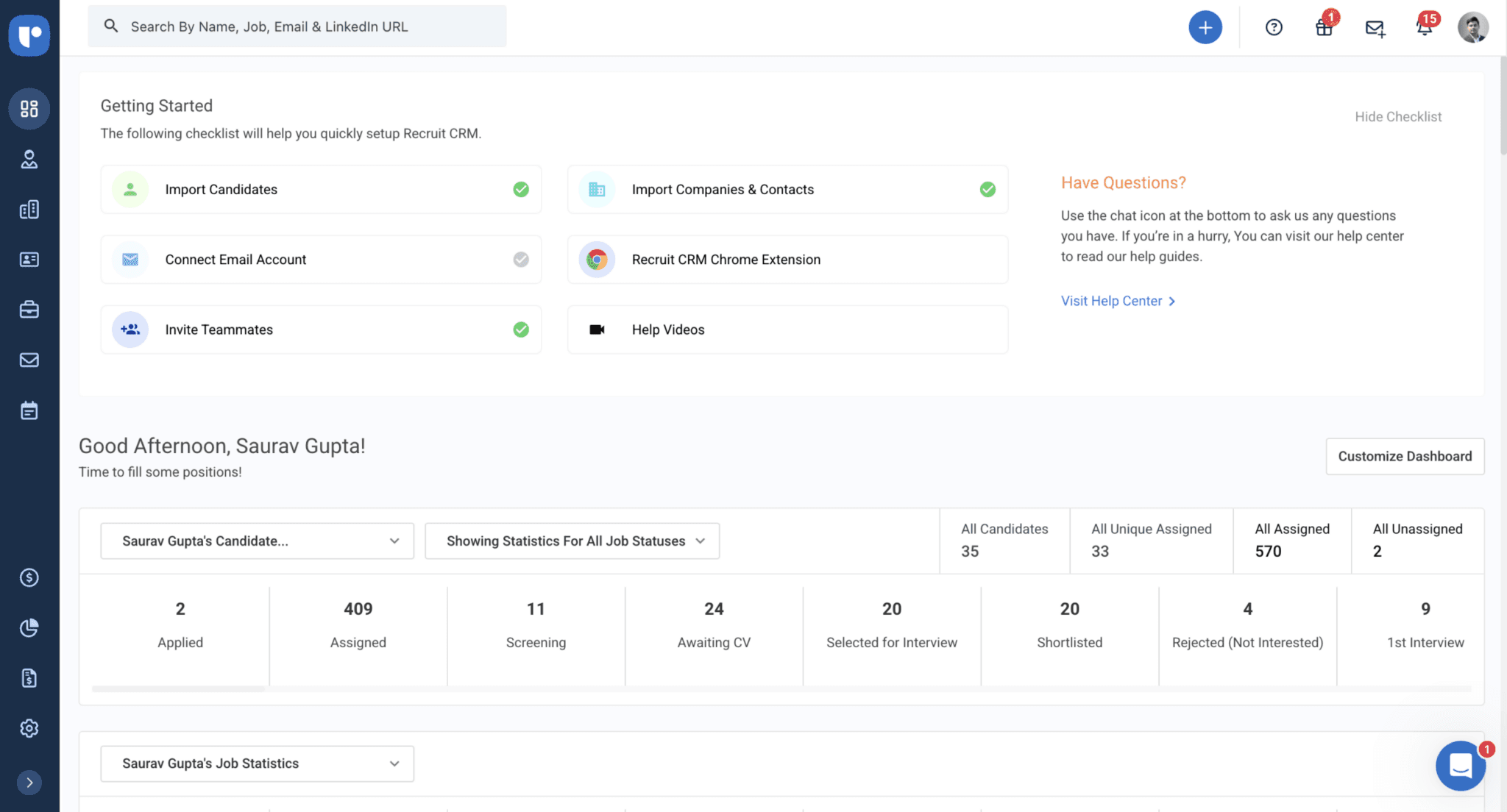
Account Overview Report

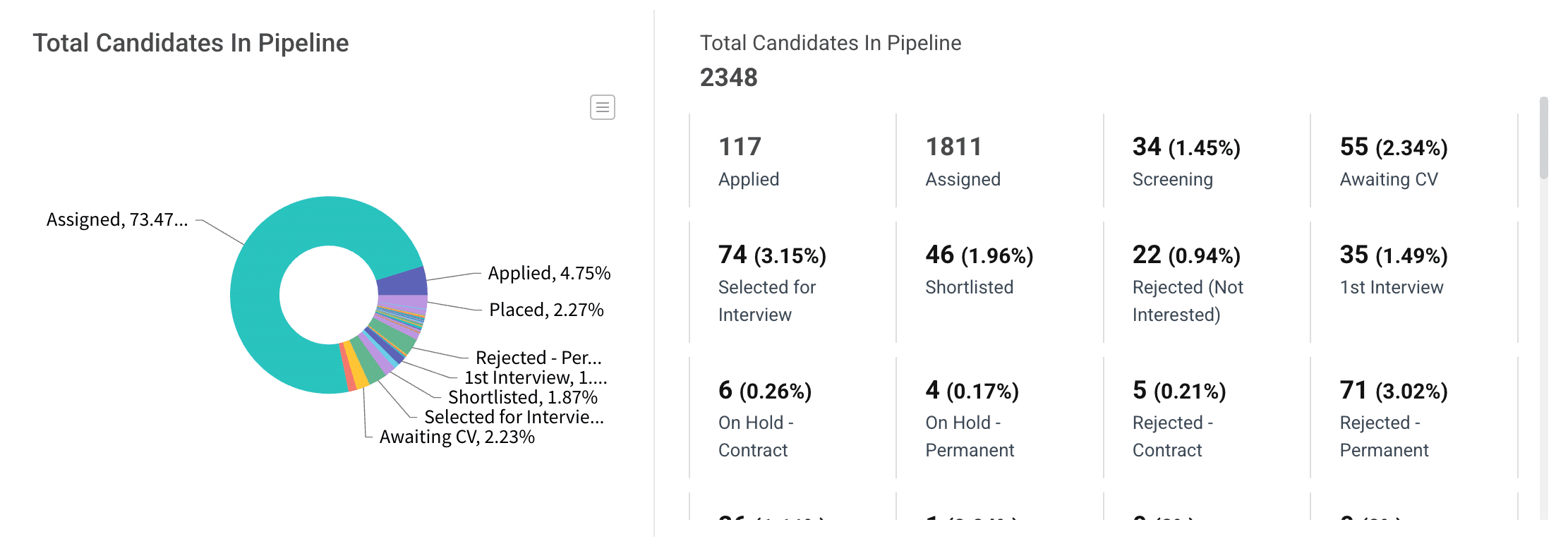
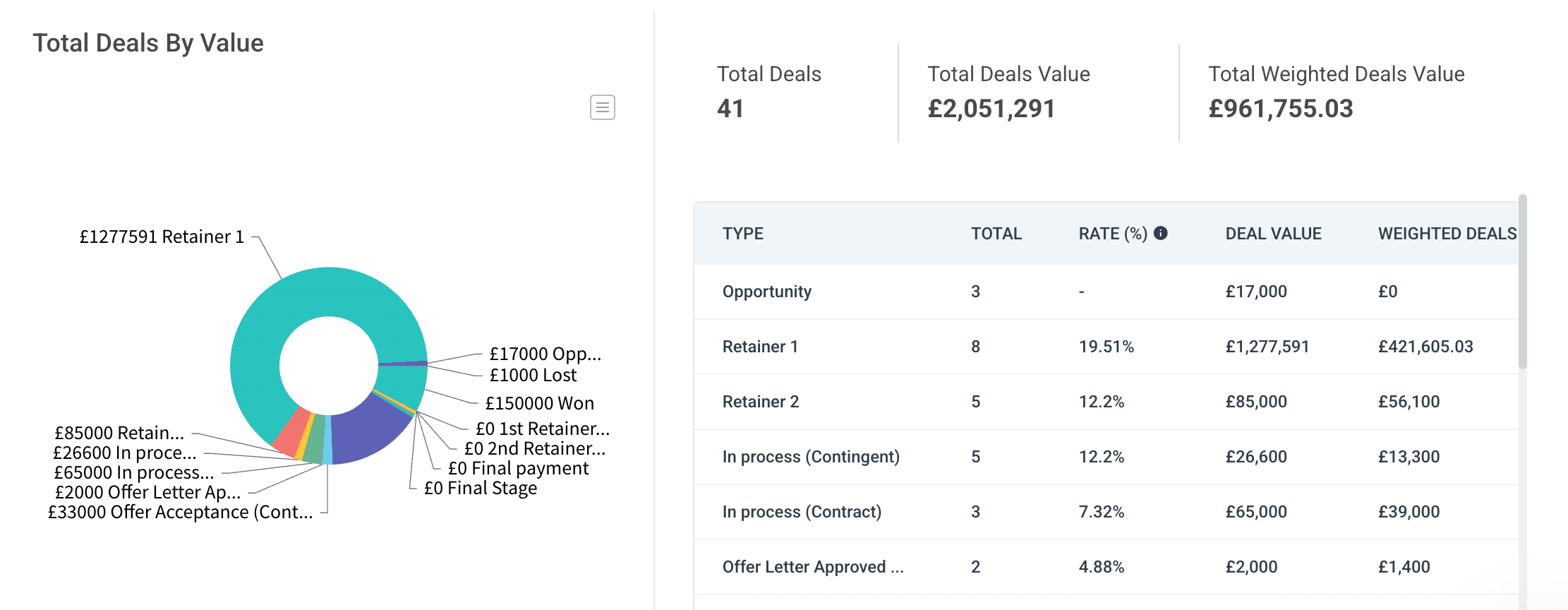
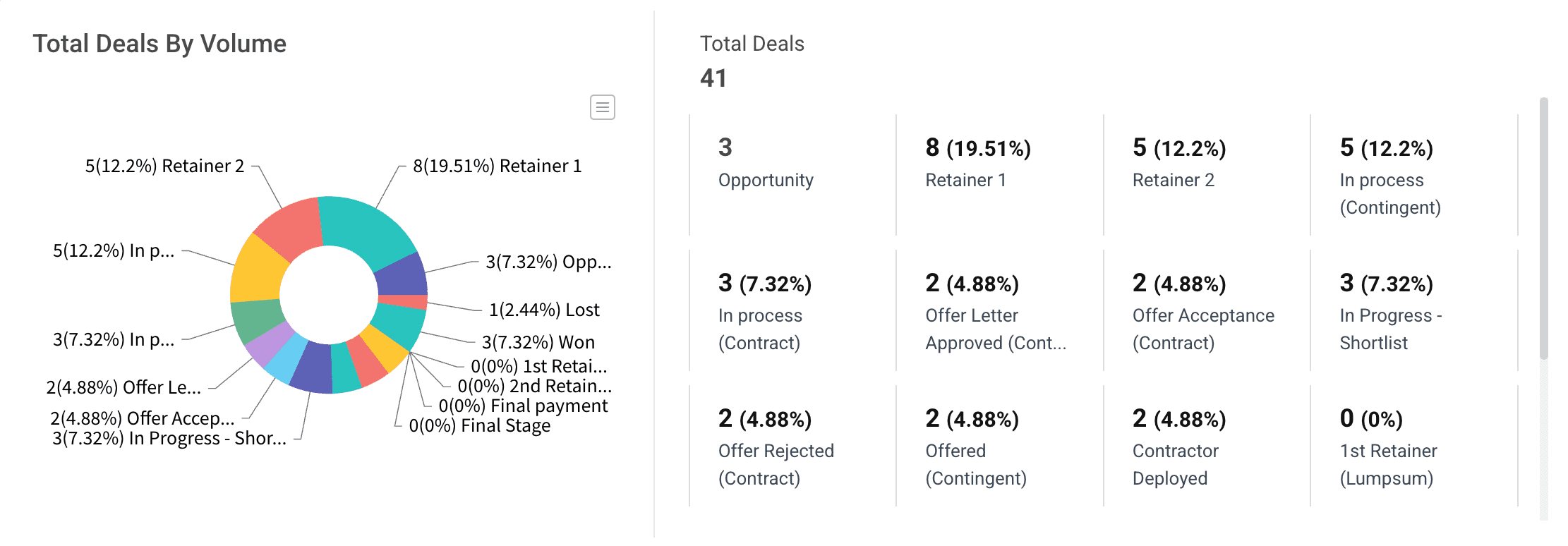
Get a complete view of your pipeline with the Account Overview Report, which offers real-time insights into candidates and deals

You can track the

Dashboard Preview
Dashboard Preview
Dashboard Preview
Dashboard Preview
Dashboard Preview
Dashboard Preview

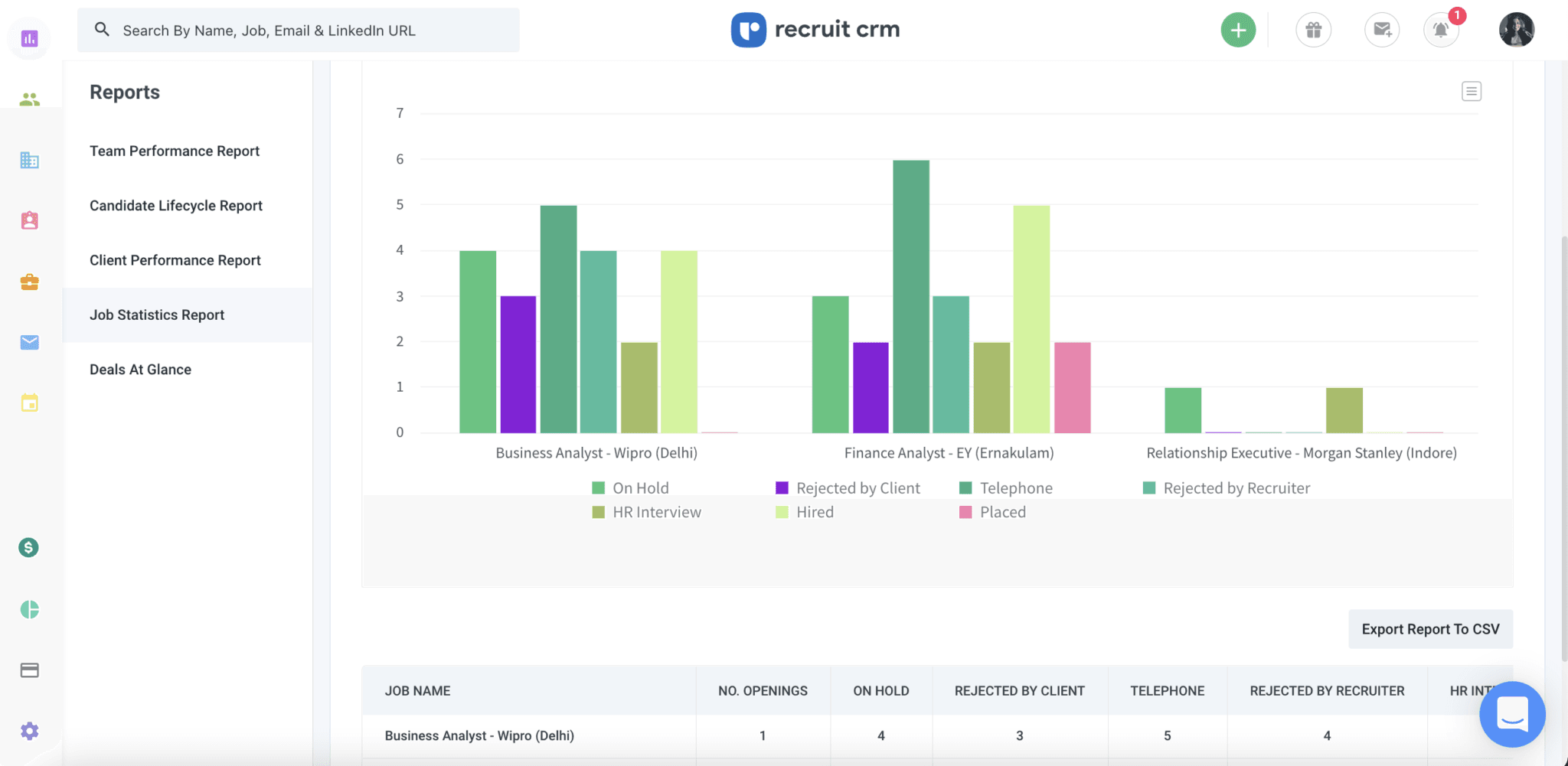
Job Statistics Report

Easily track job performance, measure progress, and identify which roles need attention with the Job Statistics Report.

Job Statistics Report

Team Performance Report

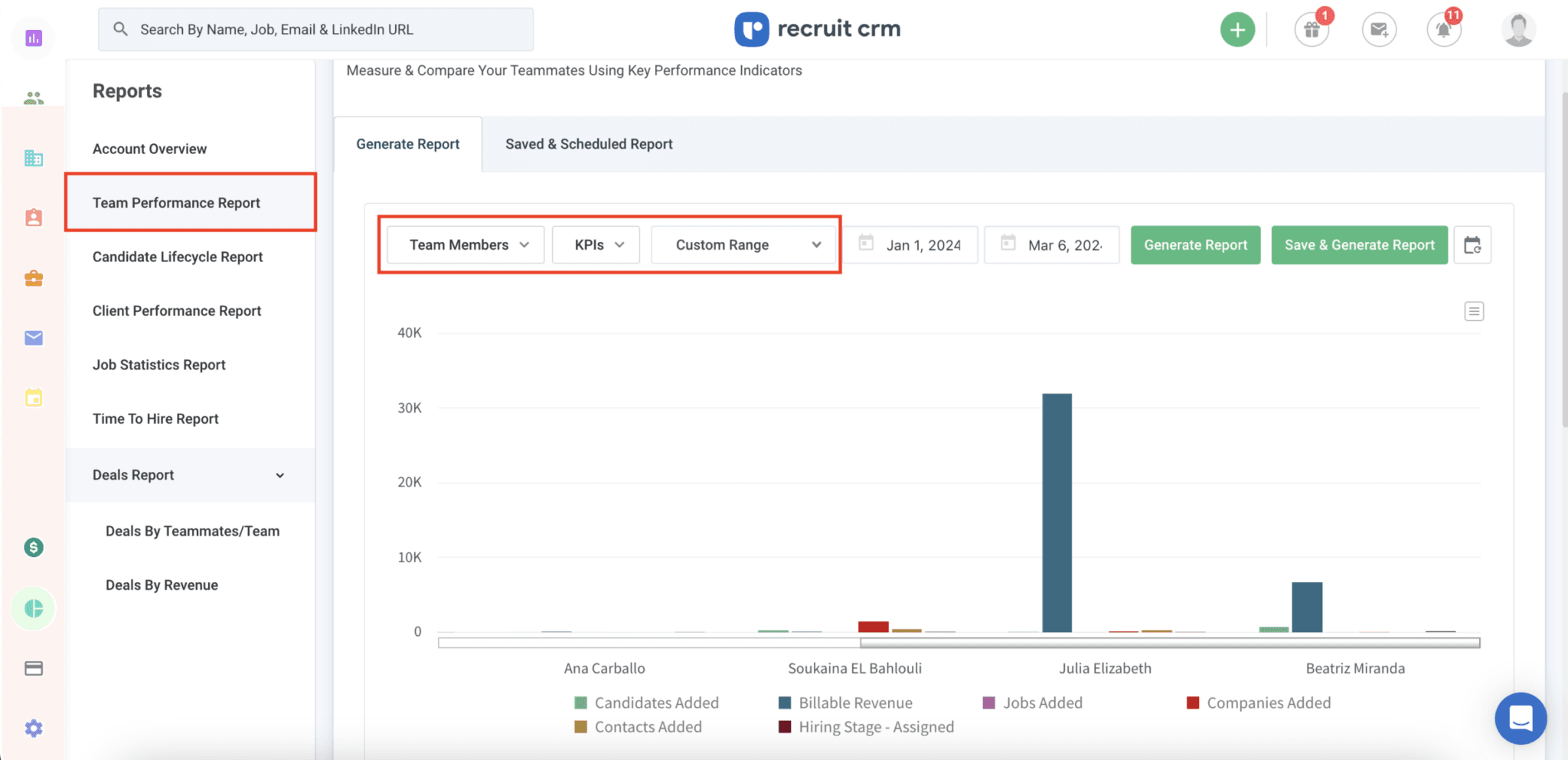
Monitor individual recruiter performance with the Team Performance Report to optimize your team’s efforts.

Team Performance Report

Client Performance Report

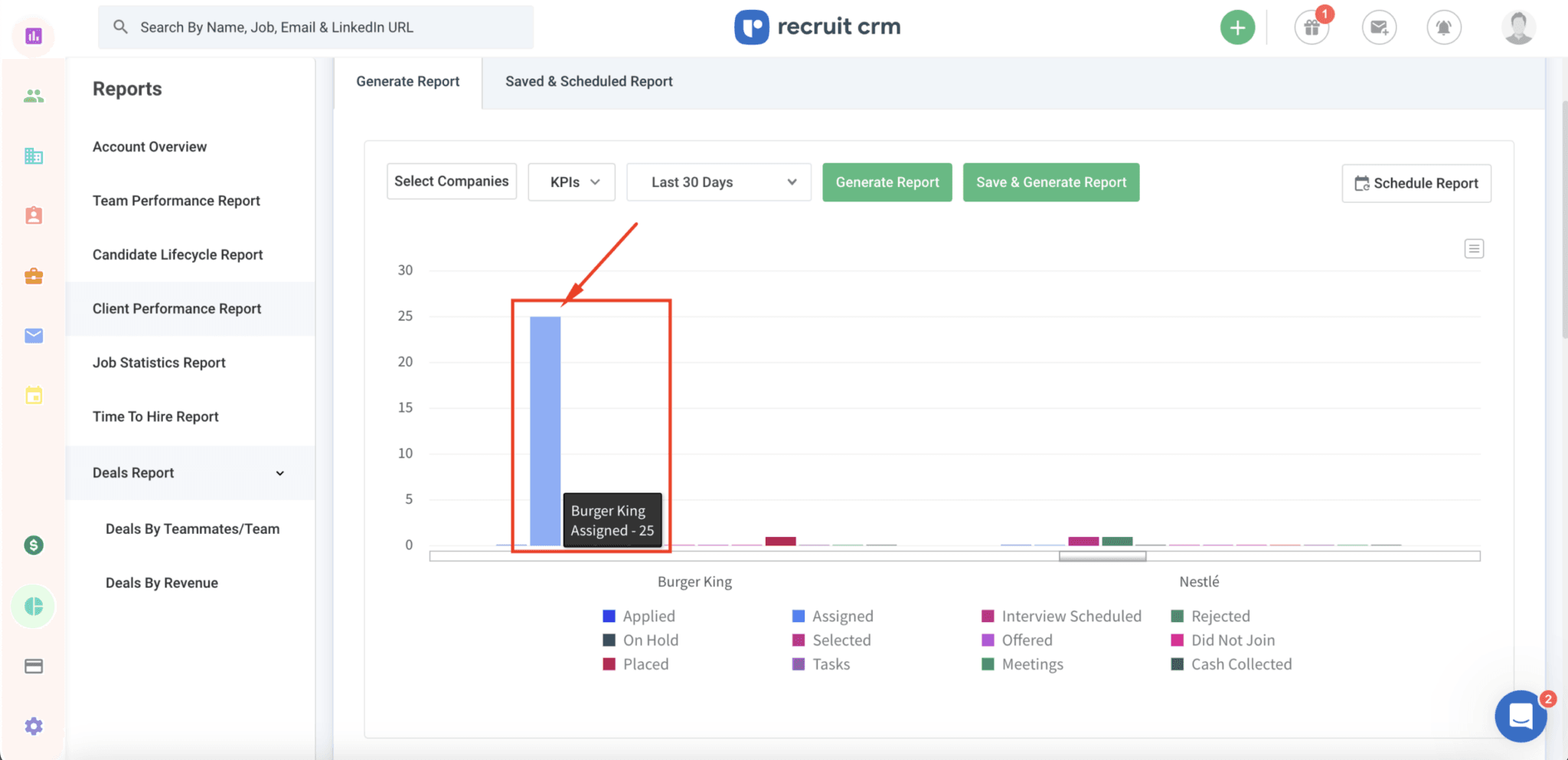
Compare client success and monitor deal and placement progress with the Client Performance Report.

Client Performance Report

Deals by Revenue Report

Track the financial success of your deals and prioritize high-value opportunities with the Deals by Revenue Report.

Deals by Revenue Report

Candidate Lifecycle Report

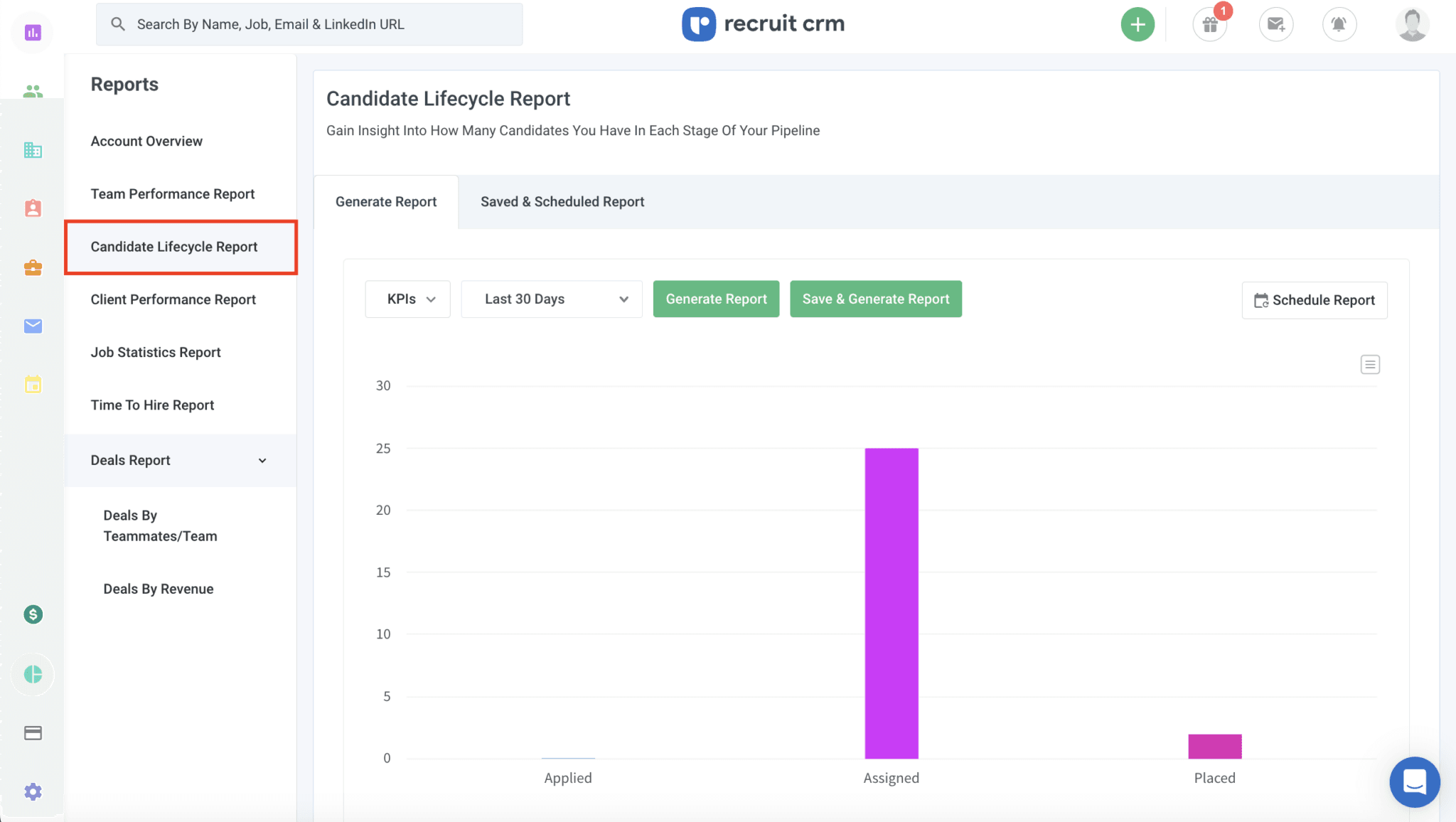
See the entire journey of your candidates from start to finish with the Candidate Lifecycle Report, helping you streamline and optimize your recruitment process.

Candidate Lifecycle Report

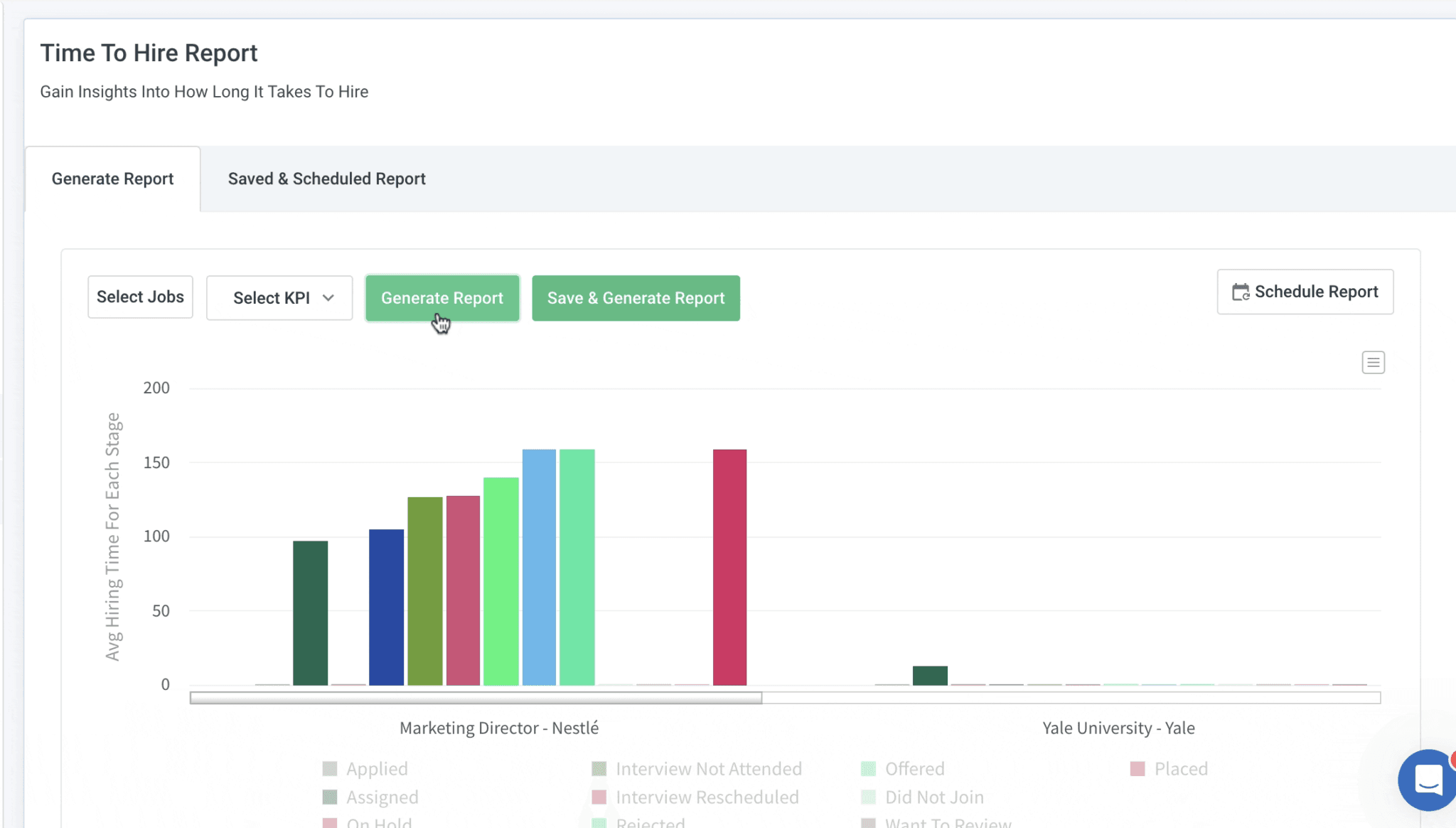
Time to Hire Report

Track how long it takes to fill each role and identify opportunities to speed up your recruitment process with the Time to Hire Report.

Time to Hire Report

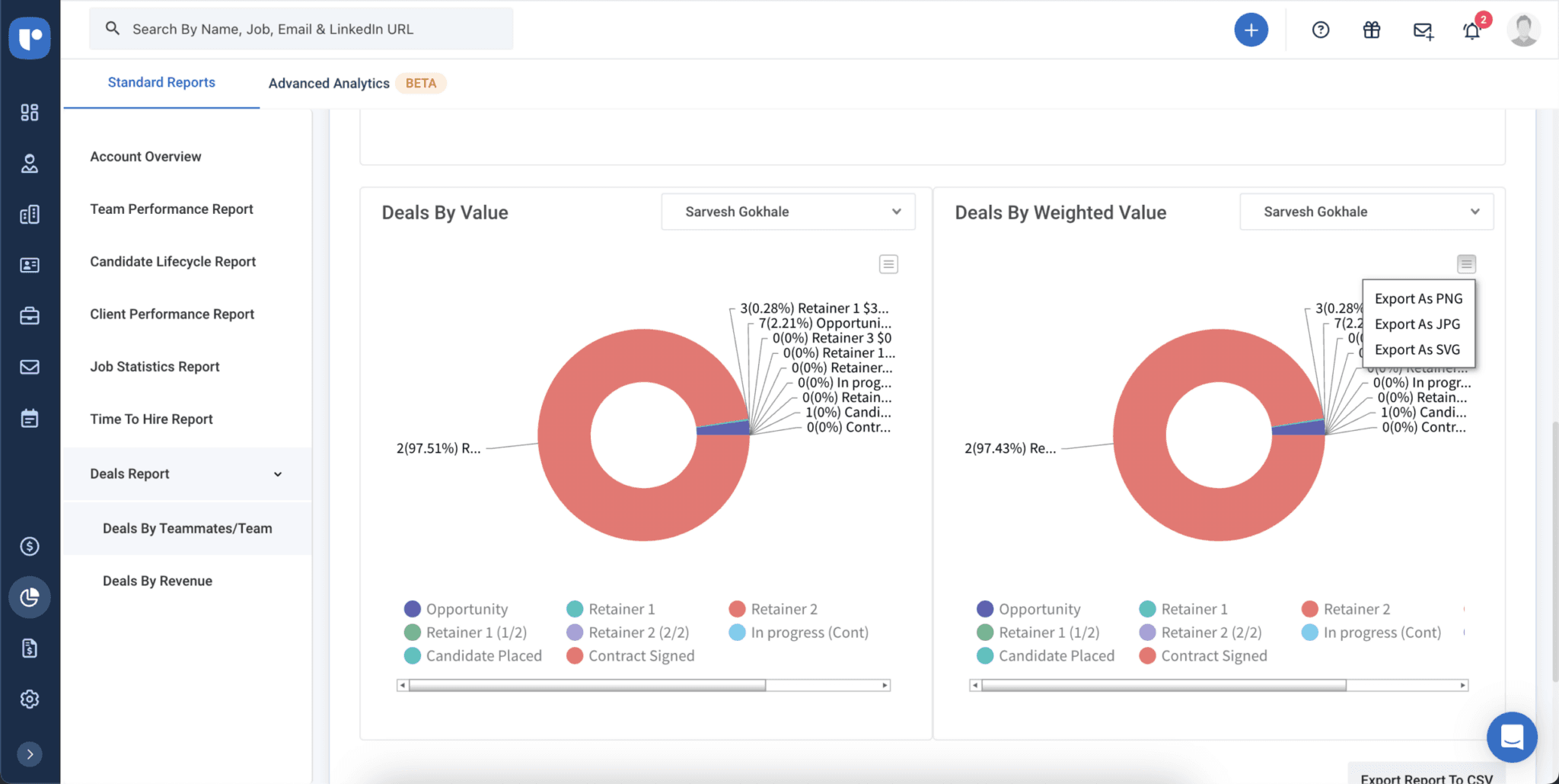
Deals by Teammates/Team Report

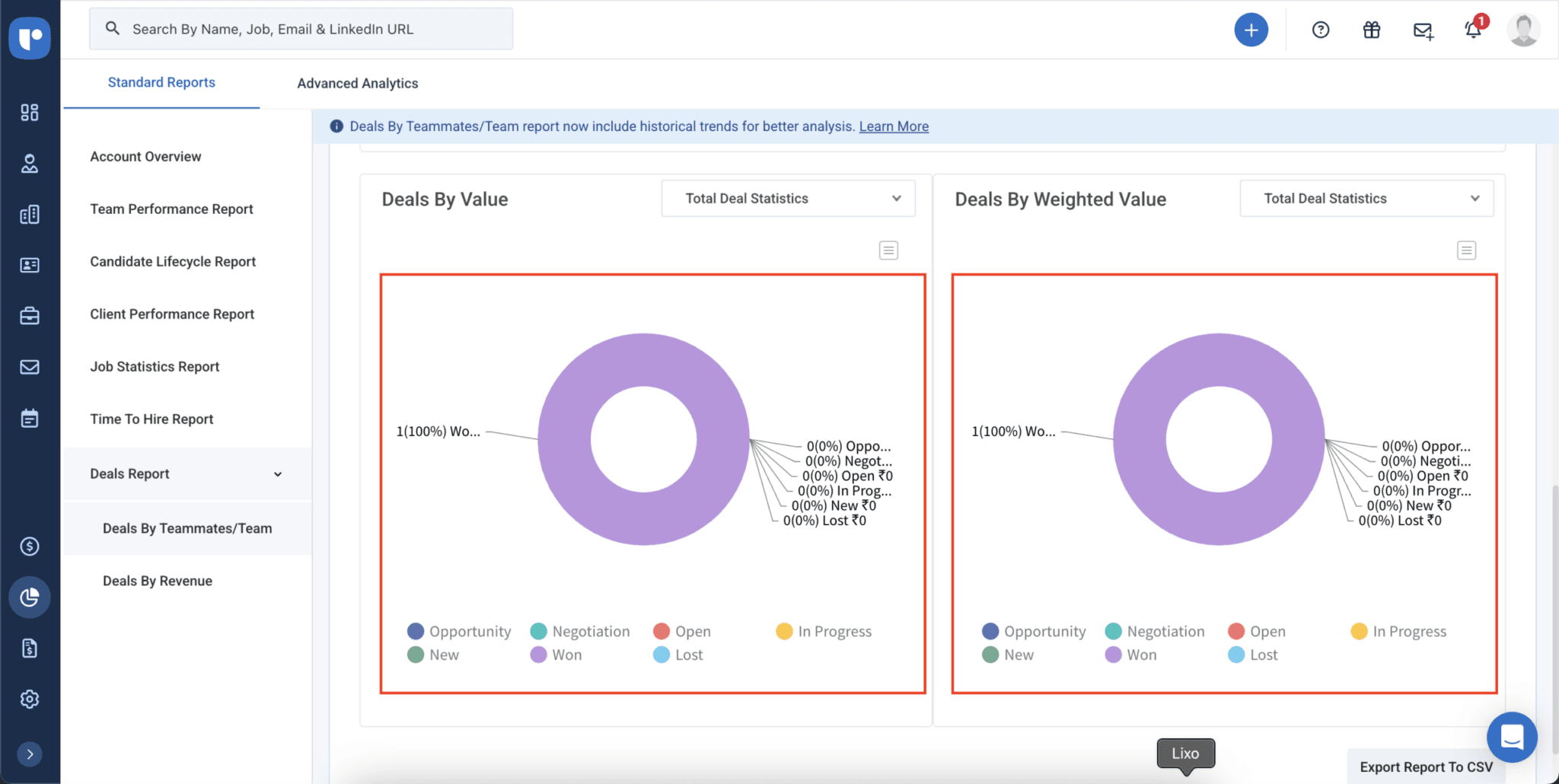
Get an overview of the number of deals in different stages and their value for various teams and team members with the Deals by Teammates/Team Report.

Deals by Teammates/Team Report

Customizable dashboard

Customize your Dashboard to display the reports and metrics that matter most to you.

Customizable dashboard
logo
logo
logo
logo
logo
logo
logo
logo
logo
logo
logo
logo
logo
logo
logo
logo
logo
logo
logo
logo
logo
logo
logo
logo
logo
logo
logo
logo
logo
logo
logo
logo

You might be wondering

Still have more questions? Visit our FAQ repository

Or just book a demo and see for yourself!

A report is a detailed breakdown of specific recruitment data (like time-to-hire or team performance), while a dashboard is the central view that brings multiple reports together.
The Dashboard gives you a snapshot of all key metrics in one place for quick decision-making.

The data you see in Recruit CRM’s reports and Dashboard updates in real time as activity happens in your account. That means metrics reflect your latest candidates, deals, and performance without waiting for manual refreshes.

Recruit CRM’s reports help you examine patterns in candidate movement, time-to-hire, and deal outcomes to find trends. You can use these trends to plan workload, resource needs, and hiring forecasts based on historical data.

Yes. You can use revenue-focused reports like Deals by Revenue alongside time and performance metrics to see which roles or clients deliver the most value and where resources are being used efficiently.

Yes. Recruit CRM allows you to export report data (e.g., as CSV or downloadable files) for sharing with team members, clients, or for use in external analysis.

Recruiters often choose metrics based on their priorities. For example, candidate pipeline health, time-to-hire, job status progress, or revenue tied to deals. The best dashboards reflect the most actionable data to help recruiters make quick decisions.

If numbers look off, double-check your filters (date range, job status, etc.). Inaccurate data usually means data sources or filters are misaligned. Always ensure your candidate and job data in Recruit CRM is up to date. If issues persist, our customer support team is available to help you 24/7.