


How to choose the best online recruiting platform in 2026


An online recruiting platform combines sourcing, tracking, and outreach tools in one system instead of scattered apps. It helps recruiters fill roles faster, cut down on manual work, and keep candidates and clients in the loop.
The harm doesn’t lie in the extra tabs open on your screen but in what falls through the gaps between them: a candidate who gets followed up with twice by two different recruiters, a client update that goes out late because it lived in the wrong tool, a five-minute task that somehow takes four steps because nothing talks to anything else.
Below is what actually separates a recruiting platform from that pile of tools, and what running the pile costs you in hours and placements.
What counts as an online recruiting platform?
An online recruiting platform is the software you use to run recruitment start to finish: sourcing candidates, screening them, staying in touch, tracking a pipeline, and reporting on how a search is going.Keeping all of that in one place matters more than it sounds. When all these processes are spread across multiple tools, the same work gets harder to track. That gets worse when more than one recruiter is working the same role. A single platform keeps everything complete and shared, instead of scattered across whoever touched it last.
7 types of online recruiting platforms (and where each one fits)
Platform type | What it does | Ideal use case |
| Job boards | Post open roles publicly; candidates apply directly | High-volume roles with urgent timelines |
| ATS | Manages candidates after they apply: resumes, interview stages, communication history | Any agency that needs a structured pipeline record |
| Recruitment marketing | Employer branding, paid job ads, organic social sourcing to build awareness before someone applies | Building a long-term talent pipeline, not filling one role |
| Freelance marketplaces | Connects recruiters to contractors and gig workers, with built-in vetting and payment handling | Contract or project-based staffing |
| Referral platforms | Turns employee and network contacts into a sourcing channel with trackable submissions | Agencies with an engaged team or strong client relationships |
| Talent sourcing & intelligence | Searches public data, profiles, portfolios, code repos, to surface candidates who haven't applied | Hard-to-fill or niche technical roles |
| Agentic AI platforms | Generates multi-step work, sourcing lists, outreach drafts, screening summaries, for a recruiter to review | Teams trying to cut hours of manual admin per search |
1. Job boards
Job boards are the most common type of recruiting platform: sites where employers post open roles and candidates apply directly. Indeed, LinkedIn, ZipRecruiter, and similar sites work this way.Job board ROI tracks how competitive the labor market is for that role. In a saturated market, cost per application goes up and candidate quality drops. Job boards reach people who are already looking for a job, and passive candidates, who make up much of the strongest talent in any market, often get overlooked.
Usually job boards work best as one channel among several, rather than a full strategy on their own.
2. Applicant tracking systems (ATS)
An ATS manages candidates once they have applied for the job you are hiring for. It stores resumes, tracks interview stages, and keeps a record of every interaction.Modern ATS platforms add real recruitment automation on top of that:
- Auto-advancing a candidate when feedback comes in
- Triggering interview scheduling without back-and-forth emails
- Syncing with your calendar and inbox
3. Recruitment marketing platforms
Recruitment marketing platforms cover everything used to promote openings and build a company's presence with candidates. That includes paid job ads, employer branding pages, and organic sourcing on LinkedIn or similar networks.That kind of presence plays the long game. If a candidate already recognizes your client's name and has some sense of what it's like to work there, a cold outreach message lands completely differently than one going in blind. It doesn't pay off in a week, but once it's built up, every other channel you run gets easier.
4. Freelance marketplaces
Freelance marketplaces connect recruiters with independent contractors and gig economy workers instead of full-time hires. Upwork(opens in a new tab) and Toptal(opens in a new tab) are two of the best-known examples.These platforms work best for short technical builds, seasonal coverage, or any role a client wants filled fast without a permanent commitment. Vetting, contracts, and payment are already built in. That means a placement can go from shortlist to start date in just days.
But if that contract stretches on for months, classification rules start to matter: IR35 in the UK, 1099 rules in the US. It's worth checking how a long-term contractor should actually be classified before that happens.
5. Referral platforms
Referral platforms turn existing employees or network contacts into a sourcing channel. They make it easy for someone to submit a candidate and track what happens next.Referred candidates tend to move faster through a pipeline and stay longer once hired. That pattern holds up consistently across the industry. Whether a referral program actually works usually comes down to the platform, not the effort behind it.
A good referral platform tracks payout timing automatically, shows the referring employee exactly where their candidate sits in the pipeline, and sends reminder nudges without anyone chasing it by hand.
6. Talent sourcing & intelligence platforms
Talent sourcing platforms help you find passive candidates. Tools like SeekOut or hireEZ search public profiles, portfolios, and other sources to surface people who match a role.This matters most for hard-to-fill roles such as specialized engineering jobs, executive searches, or any role where the best people aren't job hunting. A job posting alone won't reach them.
You can search across LinkedIn, GitHub, portfolios, and other public sources at once instead of checking each one manually, then reach out to matches instead of waiting for applications.
Some tools go further with natural language search, letting a recruiter describe a candidate in plain English instead of a Boolean string. Juicebox works this way. Candidate sourcing platforms work best as a supplement to a full recruiting platform, since most don't track candidates once you've found them.
7. Agentic AI recruiting platforms
Agentic AI platforms are the newest category, and adoption has grown fast. They generate work across several steps of a search at once: sourcing lists, outreach drafts, screening summaries, even scheduling, created for you to review and send.These platforms work best for agencies running several searches at once. Instead of building each list and draft by hand, you get a starting point at every step, ready for a quick review before it goes out.
More than seven in ten HR professionals(opens in a new tab) now use AI weekly in their hiring workflow, up sharply from a year earlier, making this less of an experiment and more of a standard part of the toolkit.
7 features to look out for while selecting a recruiting platform
 1. AI sourcing & candidate matching
Candidate sourcing is one of the most time-consuming parts of a recruiter's week. Searching one platform at a time, checking each profile against a role's requirements, and ranking people manually can take hours before a single message goes out, and that's for just one role. Doing this at scale can swallow most of a week.AI candidate matching is what actually cuts that time down. Rather than you manually screening hundreds of profiles one by one, the platform ranks candidates against what a role actually needs, so you start the day with a shortlist instead of a raw list.
Ask two questions before you buy:
- How does the ranking actually work? Does it look at career growth and job history, or mostly just keywords from the job post? This matters because keyword-only matching can rank a technically matching but wrong-fit candidate above someone with the right trajectory but a different job title.
- Ask for real numbers. How often does a top match actually get placed, not just shown in a demo? What matters is consistent results, not one lucky match.
2. Resume parsing
Matching only works as well as the data feeding it, which is where resume parsing comes in. Instead of you reading every resume, parsing pulls out the key details such as skills, years at each job, job titles, and education.What used to be a stack of PDFs becomes a searchable, filterable list in seconds. That's exactly the kind of clean, structured data a matching engine needs to rank candidates accurately in the first place.
This also reduces the inconsistencies created by manual entry, such as differences in data entry style or duplication of data. Those inconsistencies would’ve quietly weakened the matching built on top of them, especially if the candidate database grows past a few hundred people.
3. AI agents
Some platforms go further with AI agents that complete entire tasks, not just extract information. Where parsing tells a recruiter what's on a resume, an agent acts on that information directly.In practice, this usually shows up as three kinds of tasks: formatting a candidate's resume into your branded template, filling in custom data fields pulled straight from that resume, and preparing a polished candidate submission ready to send to a client.
That's a real jump in what gets automated. A parser saves a recruiter from reading. An agent saves them from doing, building the document, filling the fields, moving the candidate forward, without anyone touching each step by hand.
4. Automated outreach sequencing
Following up at the right time gets difficult when you're juggling several searches. A candidate who doesn't hear back within a day or two often assumes the role's filled and moves on, even when a recruiter simply ran out of hours in the day.Automated sequencing sends a set of personalized messages across email, LinkedIn, or text on a schedule, and follows up automatically if someone doesn't respond. Good sequencing also stops the moment a candidate replies, so nobody gets a follow-up message after they've already answered.
5. Visual pipeline management
Without a visual pipeline, tracking several searches becomes way harder than it should be. A candidate waiting five days for interview feedback doesn't show up as a problem anywhere. Not until they email asking for an update. Or worse, until they've already accepted another offer.A Kanban-style pipeline shows exactly where every candidate sits, for every open role, at a glance: sourced, screened, submitted, interviewing, offer, placed. That makes it easy to spot a stalled search or a candidate waiting too long for an update. Stalled candidates are usually invisible until you go looking for them.
6. Workflow automation & integrations
A recruiter running five searches sends dozens of the same small updates every week: an interview reminder here, a status nudge to a hiring manager there.Workflow automation triggers these actions as a candidate moves through the pipeline. When a candidate moves to a new stage, the reminder or update goes out on its own. A job posts to multiple boards at once. An assessment goes out the moment a candidate reaches screening. Reports and invoices build themselves instead of getting done manually. Recruitment marketing campaigns run on their own schedule instead of someone remembering to hit publish.
Integration quality matters just as much. A platform that doesn't connect cleanly to your email, calendar, and job boards becomes a second inbox to manage, not a time saver. Worth checking before you buy: does data sync both ways, an update in your calendar reflected back in the platform, or only one way?
7. Analytics & reporting
Recruiters usually have a good instinct for how a pipeline is performing, which search is moving fast and which one's stalling. But instinct doesn't hold up in a client meeting when someone asks why a role is taking longer than expected.Dashboards turn that intuition into numbers: time-to-fill, conversion rates between stages, where candidates tend to drop off. A recruiter can point to the exact stage where candidates are stalling instead of guessing.
That data also helps in client conversations, giving agencies something concrete to show instead of a verbal update.
Top 12 recruiting platforms worth checking out
1. Recruit CRM
Best for: Staffing and recruiting agencies of all sizes that want one complete system that can handle their recruitment from start to end.Key features:
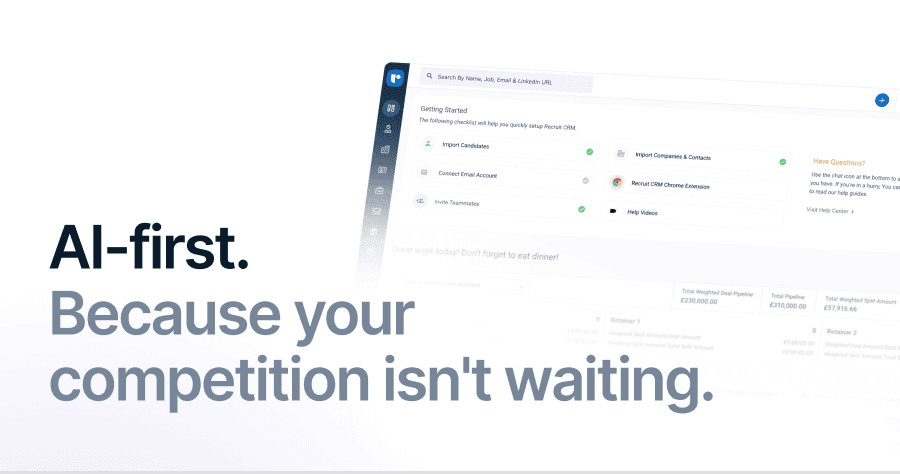
- AI sourcing: Stop hunting for candidates one tab at a time. AI-first matching pairs with a Chrome extension(opens in a new tab) that pulls profiles straight from LinkedIn, Xing, and similar sites into structured records, so your pipeline fills itself while you focus on the calls that actually close deals.
- AI Agents: Let the busywork run itself. A Resume/CV Formatting Agent turns a raw resume into your branded template automatically, and a Candidate Submission Agent handles the paperwork of getting a candidate in front of a client, without you touching a single form.
- Outreach sequencing: Never let a strong candidate go cold. Automated sequencing keeps email, LinkedIn, and text messages moving on schedule, while a Kanban pipeline and a separate deal pipeline track candidates and client revenue side by side.
- Recruit CRM MCP: Talk to your own recruitment data like you'd talk to a colleague. Recruit CRM's MCP connects your live pipeline directly to Claude Desktop and ChatGPT, so a plain-language question gets you a clear answer in seconds, available on Business and Enterprise plans.
Why choose Recruit CRM: The reason shows up clearly in customer stories. Bently Lewis started saving 3 hours every day after switching to Recruit CRM, and Truckrs saw 10x revenue growth once their candidate database stopped living in a spreadsheet.
To learn more about the platform, you can also book a demo(opens in a new tab) now!
2. LinkedIn Recruiter(opens in a new tab)
Best for: Passive sourcing. Weaker for tracking a whole pipeline.Key features:
- Direct messaging via InMail, LinkedIn's built-in credit-based system for reaching candidates who aren't in your network yet
- Advanced search filters across LinkedIn's own network
- Saved candidate pipelines, so a shortlist for one role can be revisited later without rebuilding the search
- Recruiter System Connect(opens in a new tab), which can sync activity back into a separate ATS if LinkedIn isn't your main system of record
Good to know: LinkedIn also sells Talent Insights(opens in a new tab) as a separate add-on, real-time data on talent pool size, competitor hiring activity, and skill availability, drawn from LinkedIn's own member data.
3. Indeed(opens in a new tab)
Best for: High-volume roles where speed and reach matter more than precision.Key features:
- Free job postings, with visibility on par with any paid listing until you choose to boost it
- A resume database on paid plans that lets recruiters find and message candidates directly instead of waiting for applications to trickle in
- Instant match alerts when a new candidate fits an open role
- Built-in skills assessments to screen applicants before an interview
Worth knowing: Indeed is owned by Recruit Holdings(opens in a new tab), the same Japanese parent company behind Glassdoor(opens in a new tab), and the two increasingly share data and features under that ownership. In practice, that means a job posted on Indeed now syncs automatically to Glassdoor too, so a listing reaches both audiences without paying to post twice.
4. ZipRecruiter(opens in a new tab)
Best for: Fast, wide distribution across multiple job boards at once.Key features:
- One-click apply, so candidates can apply with their existing profile instead of filling out a new form
- AI matching that flags likely-fit applicants as soon as they apply, before a recruiter even opens the list
- An Invite to Apply(opens in a new tab) feature for reaching out to matched candidates directly
- A mobile app for reviewing applicants on the go
- TrafficBoost(opens in a new tab), which pushes a listing higher in search for a set stretch
Worth knowing: A slot frees up again the moment a role closes, so cost tracks how many roles you're actively running, not a flat monthly subscription.
5. Workable(opens in a new tab)
Best for: Small and mid-sized teams without a dedicated recruiter on staff.Key features:
- Built-in sourcing and a job board network wide enough to cover most bases
- AI tools(opens in a new tab) for drafting job posts and screening questions
- One-way video screening, where candidates record answers on their own time instead of scheduling a live call
- Candidate texting, for faster replies than email on time-sensitive updates
- A built-in reporting dashboard for tracking pipeline activity
One thing to note: Headcount-based pricing means costs don't creep up just because you hired another recruiter.
6. Greenhouse(opens in a new tab)
Best for: In-house hiring teams that want consistent, structured evaluation.Key features:
- Interview kits and scorecards
- A large integration marketplace covering most existing HR and recruiting tools
- Custom permission sets, so who can see or edit a candidate's record is controlled by role
- Audit trails that keep a record of every hiring decision
- Structured candidate feedback forms built into every interview stage
Good to know: Popular in regulated industries, where a hiring decision needs to be defensible after the fact, not just fast. The scorecard system in particular gets cited as a reason teams switch to it from less structured tools.
7. SEEK(opens in a new tab)
Best for: Agencies hiring specifically in Australia or New Zealand.Key features:
- Massive regional reach, playing a role in roughly a quarter of all job placements in the Australian market, well ahead of any single competitor there
- Company profile pages for employer branding, giving candidates a look at culture and reviews before they apply
- SEEK's own salary and hiring data reports that recruiters in the region reference regularly
For context: SEEK is publicly listed on the Australian Securities Exchange(opens in a new tab), giving it more financial transparency than most platforms on this list. Its scale in the region is also why most local recruiters treat it as the default channel rather than one option they're weighing against others.
8. Juicebox(opens in a new tab)
Best for: Fast, natural-language candidate sourcing.Key features:
- Describe a candidate in plain English instead of building a Boolean string
- Get back a ranked list plus a drafted outreach message in seconds
- Build saved talent pools for roles you're likely to hire for again
Worth knowing: Also known as PeopleGPT, backed by Sequoia Capital(opens in a new tab), and used by engineering teams at places like Ramp and Perplexity. It's a sourcing layer, not a full pipeline tool, so it doesn't track interviews or offers once someone's in process.
9. hireEZ(opens in a new tab)
Best for: Outbound sourcing for passive candidates who aren't actively job hunting.Key features:
- Multi-platform passive candidate search that pulls from sources beyond the usual LinkedIn-only tools
- AI-drafted outreach messages personalized to each candidate's background, ready for a recruiter to review before sending
- Talent pool analytics that flag a sourcing pipeline trending downward before a search actually stalls
- Talent rediscovery tools that resurface past candidates already sitting in your database
Worth knowing: Sits on top of whatever ATS you already run rather than replacing it. That combination of sourcing plus analytics is usually the reason agencies point to when asked why they added it instead of just hiring another sourcer.
10. Bullhorn(opens in a new tab)
Best for: Staffing agencies that want deep, staffing-specific workflow logic.Key features:
- Contracts, timesheets, and compliance tracking built specifically for temporary and contract placements
- Supplier management for agencies working through MSPs
- A large third-party add-on marketplace for filling in gaps the core product doesn't cover
- A mobile app for recruiters working outside the office
Fine print: Many agencies switching away call the interface dated, even while admitting it still handles day-to-day work fine, which is part of why it's held on to such a large share of the staffing industry for so long.
11. Zoho Recruit(opens in a new tab)
Best for: Agencies already using other Zoho(opens in a new tab) products.Key features:
- An ATS and CRM that lives right inside the Zoho ecosystem
- Separate modes for staffing agencies versus in-house teams
- Multi-currency, multi-language, and multi-timezone support, which matters if your agency places candidates across borders
- A built-in resume parser to keep candidate records structured
One thing to know: Zoho is privately held and has never taken outside venture funding, which tends to keep pricing more conservative than venture-backed competitors on this list.
12. SeekOut(opens in a new tab)
Best for: Building diverse candidate pipelines through deep public-data search.Key features:
- Searches profiles and portfolios beyond a standard keyword search
- Layers in market and compensation data, so a recruiter can see typical pay ranges alongside candidate profiles
- Includes a browser extension for pulling profiles from LinkedIn or GitHub without leaving the page
- Offers expanded filters built specifically for diversity-focused sourcing
Worth knowing: Known specifically for helping teams build more diverse pipelines through expanded search filters most standard sourcing tools don't offer.
Your checklist for picking the right platform
Check | What to ask | Why it matters |
| Cost & pricing transparency |
|
|
| Feature fit |
|
|
| Integration with your stack |
|
|
| Candidate data ownership |
|
|
| Support & onboarding |
|
|
| Team adoption |
|
|
What's changing in recruiting platforms right now
1. Agentic AI adoption
Agentic AI has moved from a future trend to the default expectation. The market is consolidating around this shift too.In the past year, SAP acquired SmartRecruiters(opens in a new tab), Workday acquired Paradox(opens in a new tab), and iCIMS acquired Apli(opens in a new tab), all established vendors buying agentic AI companies outright rather than building the capability from scratch. That points toward fewer standalone point solutions and more unified platforms going forward.
2. Mobile-first recruiting
Nowadays, recruiters and candidates both expect to manage hiring from a phone. Reviewing an application on a commute or approving a candidate submission between meetings is now a baseline expectation, not a nice-to-have.Platforms without a genuinely usable mobile app are starting to feel dated fast.
3. Personalized candidate journeys
Generic, one-size-fits-all outreach gets ignored. Candidates respond better to messages that reference their actual background and the specific role, not a template with a name swapped in.Platforms are leaning into this with AI-generated, personalized outreach at scale, something that used to require writing every message by hand.
Frequently asked questions
1. What's the difference between an online recruiting platform and an ATS?
An ATS is one piece of a recruiting platform, managing candidates after they enter your pipeline: tracking stages, storing resumes, logging interviews.A quick way to tell them apart when evaluating a tool: check whether it talks about finding candidates who haven't applied yet, or only about managing people who already have. If it's the second, you're looking at an ATS, not a full platform.
A full recruiting platform does that and more, including sourcing candidates before they apply and managing the client side of an agency's business.
2. What are the benefits of using an online recruiting platform?
The main benefits of using an online recruiting platform are speed, consistency, and visibility. Resumes get screened in seconds instead of hours. Follow-ups happen automatically instead of slipping through the cracks. Recruiters spend more time talking to strong candidates and less time on data entry.For agencies specifically, it also means clients get more consistent updates, since reporting comes from one system instead of scattered notes across a team.
3. How are agentic AI platforms different from regular AI features?
Regular AI features usually assist with one step: suggesting a match, drafting a message, flagging a resume worth a second look. You still have to do the rest of the work by hand.Agentic AI platforms generate work across multiple steps of a search at once, sourcing lists, outreach drafts, screening summaries, sometimes scheduling options, with you reviewing and approving the output rather than starting from scratch each time.
4. How much do online recruiting platforms typically cost?
Cost depends heavily on what you're buying. Standalone job board postings can run a few hundred dollars per listing. Full recruiting platforms usually price by seat or by tier, landing somewhere between a modest monthly fee for a small team and several thousand a month for a larger agency running high volume.Recruit CRM, for example, offers Pro, Business, and Enterprise tiers with a 30-day free trial and no credit card required to start. That structure lets you test real workflows, sourcing, pipeline, and client management before committing, rather than guessing at fit from a features page alone.
Blog summary
- Online recruiting platforms fall into 7 main types: job boards, ATS software, recruitment marketing, freelance marketplaces, referral platforms, talent sourcing and intelligence tools, and agentic AI platforms.
- Agentic AI platforms generate multi-step work across a search, sourcing lists, outreach drafts, and screening summaries for a recruiter to review, rather than producing one suggestion at a time.
- Twelve platforms worth checking out:
- Recruit CRM: All-in-one ATS and CRM built specifically for staffing and recruiting agencies.
- LinkedIn Recruiter: Best for passive sourcing directly on the network where candidates already have a profile.
- Indeed: One of the largest job boards, best for high-volume roles needing speed and reach.
- ZipRecruiter: Fast, wide job distribution with one-click apply and AI matching.
- Workable: A straightforward ATS built for teams without a dedicated recruiter.
- Greenhouse: A structured ATS favored by in-house teams that need consistent, defensible hiring decisions.
- Bullhorn: A long-standing ATS and CRM built specifically for staffing agencies.
- Juicebox: Natural-language candidate sourcing that skips Boolean search entirely.
- hireEZ: An outbound sourcing tool built to find and reach passive candidates.
- SEEK: The dominant job board across Australia and New Zealand.
- Zoho Recruit: An affordable ATS and CRM inside the broader Zoho ecosystem.
- SeekOut: A talent intelligence platform built for diversity-focused, hard-to-find candidate searches.
- The strongest platforms combine AI-first matching, automated outreach sequencing, a visual pipeline, and analytics in one system rather than requiring five separate tools.
- Picking the right platform comes down to fit: map your workflow first, then check pricing transparency, integrations, data ownership, and how easily your team will actually adopt it.



Blog written by
Kanan Parmar
Content Manager at Recruit CRM
Kanan Parmar is a content manager at Recruit CRM, specializing in delivering research-driven content that empowers recruiters. Her work focuses on providing valuable insights and strategies that help recruitment professionals optimize their workflows, make informed decisions, and stay ahead in the recruitment industry.
Stay ahead with the smartest
recruitment newsletter out there!
Join the recruiters who never miss what’s next.






![How recruiters use Recruit CRM for recruitment [11 ways]](/static-assets/_next/image/?url=https%3A%2F%2Frecruitcrm.io%2Fwp-content%2Fuploads%2F2025%2F07%2FThumbnail-_-https___recruitcrm.io_blogs_recruit-crm-for-recruitment-1.png&w=828&q=75)
![What is recruiting database? [+ Steps to select the best one]](/static-assets/_next/image/?url=https%3A%2F%2Frecruitcrm.io%2Fwp-content%2Fuploads%2F2025%2F05%2FThumbnail-What-is-recruiting-database-Steps-to-choose-the-best-one.png&w=828&q=75)




 marketing@recruitcrm.io
%201.4700f78c.svg&w=32&q=75) Workforce Cloud Tech, Inc. 28 Mohawk Avenue, Norwood, NJ 07648.
Workforce Cloud Tech, Inc. 28 Mohawk Avenue, Norwood, NJ 07648.


