7 Vincere alternatives that deserve a closer look


A candidate is ready for submission, your client is waiting, and your recruitment software isn't cooperating. So a quick task turns into another problem to sort out. And long waiting times for resolutions of these technical issues make it worse.
That's a concern users raise while talking about Vincere ATS.
For recruitment agencies working against tight deadlines, reliable software and responsive support matter.
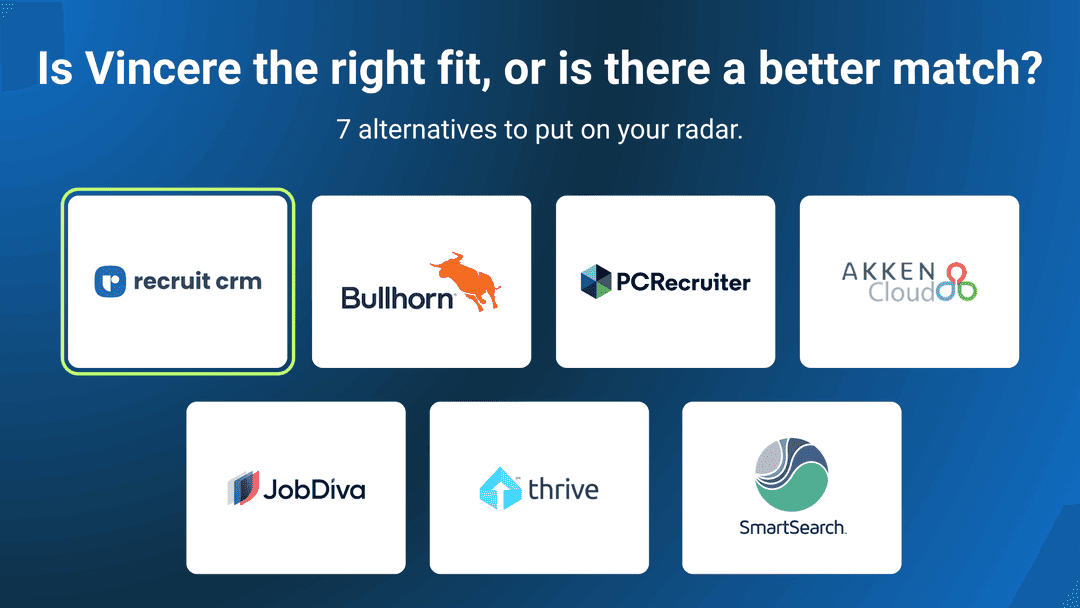
So we've put together 7 Vincere alternatives, including Recruit CRM, Bullhorn, and JobDiva, to compare how different platforms support recruitment teams and their daily operations.
Let's look at what each one offers.
1. Recruit CRM
Your best candidate just changed jobs. A client contact has moved to a new company. You've finished a promising call, but there are still notes to write and follow-ups to send.These are all opportunities to build relationships and bring in more business. The question is whether your recruitment software helps you act on them.
That's where Recruit CRM makes a strong case as a Vincere alternative.
Built for recruitment and staffing agencies, Recruit CRM is an AI-first ATS + CRM that helps recruiters keep their databases up to date, stay on top of conversations, and make better use of their existing candidate relationships.
Here's what your recruiters can do with Recruit CRM:
- Spot changes across your candidate database: The Database Update Agent scans 800M+ profiles to identify updated job titles and employment status for candidates and client contacts.
- Keep important conversations on record: The AI Notetaking Agent records and transcribes video meetings and phone calls, making it easier to revisit discussions and follow up on important details.
- Get answers from your recruitment database: Connect your recruitment data to Claude, ChatGPT, or any other AI assistants you use with Recruit CRM MCP. Ask questions about candidates, jobs, client records, and pipeline activity in plain language to get answers without manually searching across multiple records.
- Connect the tools your agency already uses: Recruit CRM supports integrations for communication, sourcing, assessments, scheduling, and workflow automation. Connect supported applications to keep recruitment information moving between the systems your team relies on.
Want to see how it works with your agency's processes? Book a demo(opens in a new tab) and see Recruit CRM in action.
2. Bullhorn(opens in a new tab)
As recruitment agencies expand, it's common for different teams to start relying on different software.Your recruiters might use one set of tools, business development another, and your finance team something else entirely.
Bullhorn provides staffing firms with a recruitment platform that connects these systems through its broader technology ecosystem.
What you can do with Bullhorn:
- Connect your existing recruitment tools: Bullhorn Marketplace offers 300+ pre-integrated technology partners covering sourcing, communications, background checks, payroll, and other staffing needs.
- Build custom integrations: Its API allows firms to connect applications and exchange information with their Bullhorn database when a suitable ready-made integration isn't available.
- Coordinate work across multiple teams: Bullhorn's enterprise offerings support agencies that manage multiple recruitment desks, branches, and business processes within a connected system.
3. PCRecruiter(opens in a new tab)
Recruiters build up years of valuable information about candidates, companies, and previous placements. But that information becomes harder to use when every desk organizes records differently.PCRecruiter gives recruitment firms more control over how their database is structured and how recruiters access it during their day.
What you can do with PCRecruiter:
- Customize your records: Adapt fields, forms, and database layouts to capture the details your recruiters need for different assignments.
- Work with recruitment data from your inbox: Use supported Outlook and email integrations to connect messages and recruitment activity with existing records.
- Connect supported AI assistants: PCRecruiter's MCP capabilities allow compatible AI tools to work with recruitment information, subject to the organization's configuration and access permissions.
4. Thrive TRM(opens in a new tab)
Executive search firms spend years building relationships with senior professionals. Those conversations, recommendations, and market insights can become valuable long after a particular search has closed.Thrive TRM helps firms keep that information available for future assignments.
Its focus is on making executive search research and relationship history useful across the entire team, rather than leaving important knowledge with individual consultants.
What you can do with Thrive TRM:
- Reuse previous search research: Refer to past assignments, candidate notes, and market information when identifying leaders for new opportunities.
- Track relationships across your firm: See previous conversations, introductions, and other interactions with executives so consultants have more context before reaching out.
- Keep search teams informed: Monitor search activity, share relevant candidate information, and maintain visibility into ongoing assignments.
5. AkkenCloud(opens in a new tab)
Temporary staffing involves regular coordination with clients, especially when workers are assigned to ongoing projects.Clients need to request workers, approve hours, and review invoices. Having a separate conversation for every task can quickly become difficult to manage.
AkkenCloud offers a customer self-service portal that gives staffing clients direct access to these activities.
What you can do with AkkenCloud:
- Let clients submit job orders: Clients can raise staffing requests through the portal based on the permissions your agency provides.
- Give clients control over approvals: They can review assignments, approve or reject employee timesheets, and manage submitted expenses.
- Provide billing visibility: Clients can access invoices, review outstanding balances, and run reports using available filters.
6. SmartSearch(opens in a new tab)
Finding a suitable candidate and getting them ready to start work can involve a lot of paperwork, approvals, and follow-ups.SmartSearch helps staffing agencies organize this part of the recruitment process with dedicated preboarding and onboarding tools.
What you can do with SmartSearch:
- Prepare candidates before placement: CandidateTraks helps collect important information, complete screenings, and manage documents before the formal onboarding process begins.
- Set up role-specific onboarding: OnboardTraks lets agencies create onboarding sequences with task dependencies and conditional steps, so requirements can vary by assignment.
- Collect documents and signatures online: Candidates can complete forms and sign documents electronically on their devices, with automated reminders for any outstanding paperwork.
7. JobDiva(opens in a new tab)
Once a contractor starts working for a client, the agency still needs to manage the assignment's financial details.Hours need approval, expenses need to be recorded, and invoices have to reflect the agreed billing terms.
JobDiva helps staffing firms handle these responsibilities through its back-office capabilities, applicant tracking, and client management tools.
What you can do with JobDiva:
- Manage staffing finances: DivaFinancials supports back-office financial processes, helping agencies connect assignment information with payroll and billing activities.
- Handle electronic onboarding: Collect employment documents and manage onboarding requirements through JobDiva's integrated onboarding tools.
- Review staffing performance: Use reporting and analytics capabilities to examine recruitment activity, business performance, and operational results.
Vincere vs. 7 alternatives: Which platform offers more?
Vincere offers AI-powered recruitment, automation, and reporting. Here's how it compares with seven alternatives on job posting, candidate sourcing, contract staffing, and Capterra rating
| Platform | Job multiposting | AI Sourcing / Matching | Contract staffing (timesheets, billing) | Capterra rating |
| Vincere | Available | AI candidate scoring and matching | Timesheets, pay & bill tools | 4.8/5 |
| Recruit CRM | 3,000+ job boards | AI sourcing, 800M+ profiles | Bill & Pay | 4.9/5 |
| Bullhorn | Available | Amplify AI and matching | Workforce solutions | 4.0/5 |
| PCRecruiter | Job posting available | Candidate search and matching | Limited back-office tools | 4.3/5 |
| Thrive TRM | Not a core focus | Executive talent research | Not a core focus | No reviews |
| AkkenCloud | Job posting available | Automated candidate matching | Payroll, timesheets, billing | 4.0/5 |
| SmartSearch | Job posting available | Candidate search and matching | Onboarding and compliance tools | 4.5/5 |
| JobDiva | Job board integrations | AI-assisted candidate search | Timesheets, billing | 4.5/5 |
Frequently asked questions
1. What are the best Vincere alternatives for recruitment agencies?
Recruit CRM, Bullhorn, PCRecruiter, Thrive TRM, AkkenCloud, SmartSearch, and JobDiva.are seven Vincere alternatives worth comparing.For agencies looking for an AI-first ATS + CRM, Recruit CRM is a strong option. It combines recruitment management with AI agents, LinkedIn outreach, customizable workflows, and round-the-clock customer support.
The best Vincere alternative for recruiters ultimately depends on the types of placements they handle, their existing systems, and the level of support they need.
2. How does Recruit CRM compare with Vincere?
Both Recruit CRM and Vincere offer applicant tracking, client management, and recruitment automation. Recruit CRM also provides MCP connectivity with AI assistants, dedicated AI agents, and 24/7 live chat support.The right choice depends on your agency's workflows, integrations, and recruitment requirements.
For a detailed feature-by-feature breakdown, see our Recruit CRM vs Vincere comparison.
3. Can I move my candidate and client data from Vincere to Recruit CRM?
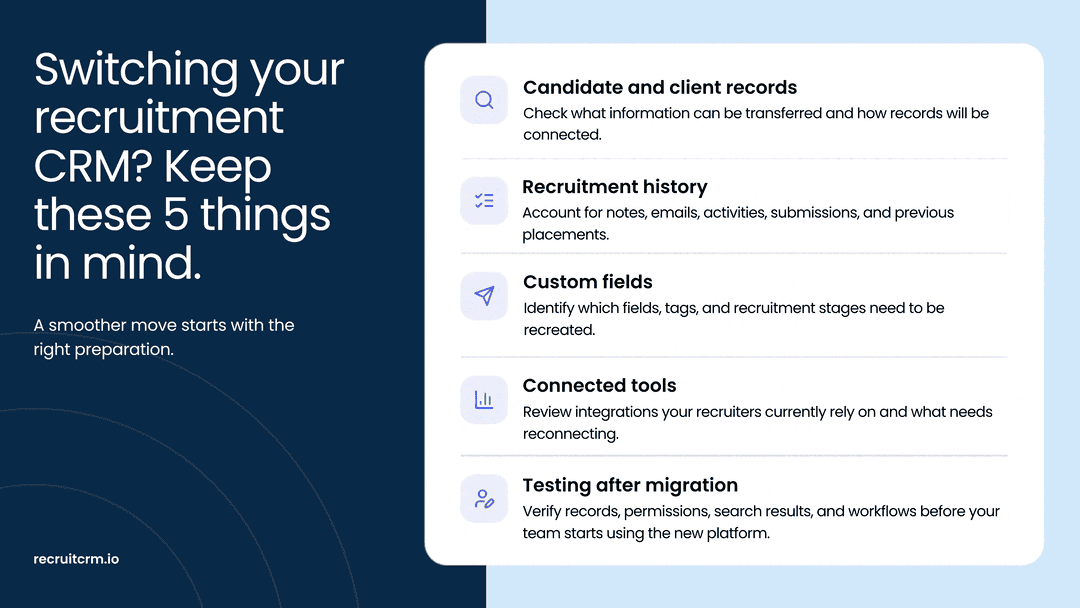
Yes. Recruit CRM provides data migration support for recruitment agencies switching from other platforms. Candidate, contact, company, and job records can be transferred depending on your source data and migration requirements.Agencies can import data using CSV files for free, while paid migration services are available for more complex requirements. Recruit CRM has supported over 250 migrations, with most projects completed in approximately 10–12 business days.
Quick recap
Vincere brings several recruitment functions into one platform, but that doesn't mean it will suit every agency's way of working.Whether you're looking for more specialized AI assistance, stronger onboarding processes, or better support for temporary staffing, there are alternatives to consider.
Here's a quick recap of the 7 Vincere alternatives covered in this blog:
- Recruit CRM: An AI-first ATS + CRM with specialized AI agents, LinkedIn outreach, flexible workflows, guided migration, and 24/7 support.
- Bullhorn: Provides an extensive integration ecosystem and connected recruitment technology for agencies with complex operational requirements.
- PCRecruiter: Supports customizable recruitment databases, Outlook integration, and AI assistant connectivity through MCP.
- Thrive TRM: Helps executive search firms maintain candidate relationships and make better use of previous search research.
- AkkenCloud: Offers client self-service tools for staffing requests, timesheet approvals, billing information, and workforce management.
- SmartSearch: Offers structured onboarding, compliance tracking, electronic signatures, and tools for managing candidate documentation.
- JobDiva: Connects recruitment activities with contract assignment management, timesheets, and staffing financial operations.
Recruit CRM brings these activities together in an AI-first ATS + CRM, with tools that help recruiters get more value from their existing database and spend less time switching between applications.
With flexible workflows, AI assistance, and support available whenever your team needs it, Recruit CRM is built for agencies that want their recruitment software to keep up as their business grows.
Book a demo(opens in a new tab) to see Recruit CRM in action.



Blog written by
Chhavi Chugh
Manager, Content at Recruit CRM
Chhavi Chugh is a content strategist at Recruit CRM with expertise in creating research-backed content for recruiters. She develops practical, actionable insights that help recruitment professionals streamline processes, improve outreach, and grow their businesses. Chhavi's work is designed to address the specific challenges recruiters face in today's hiring landscape.