Timesheet approval process: How to get contractors to submit and approve timesheets on time


For staffing agencies, the timesheet process can quickly become a weekly headache. Contractors forget to submit their hours, client managers delay approvals, and operations teams spend hours sending reminders and following up.
The consequences go beyond administrative inconvenience. Late timesheets can delay billing, complicate payment processing, and make it harder for staffing agencies to maintain an efficient contract staffing process.
Whether you are working on the agency side or in a corporate role, submitting and approving timesheets on time requires a well-defined process, clear accountability, and consistent follow-up.
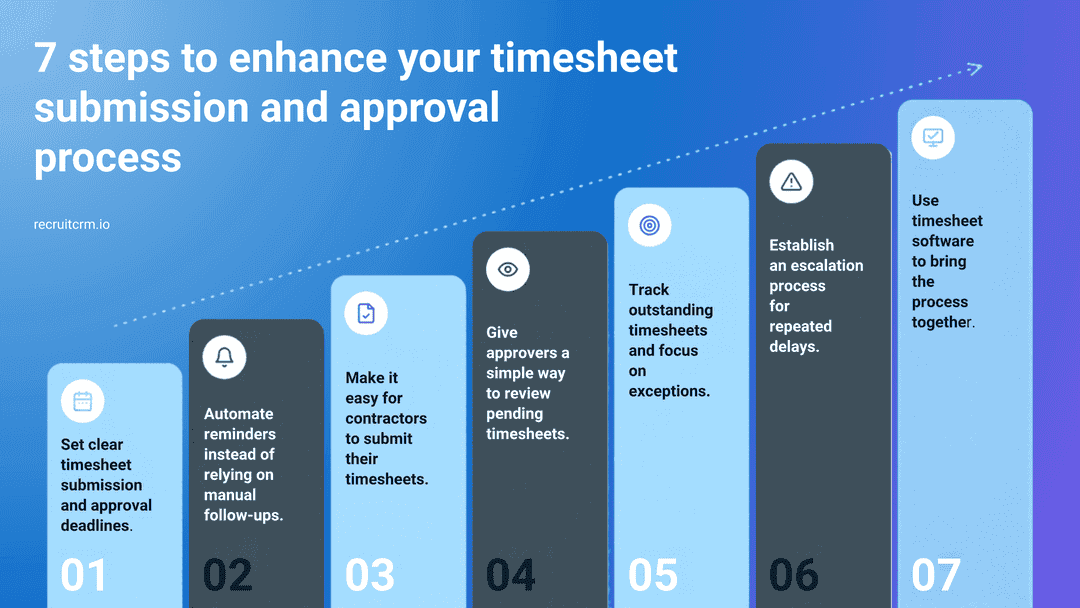
Here are seven practical ways staffing agencies can improve their timesheet submission and approval process:
1. Set clear timesheet submission and approval deadlines
The first step is to establish a clear schedule for submitting and approving timesheets.Contractors should know exactly when their hours need to be submitted. Client managers should understand when approvals are expected, and your internal operations team should know when the process must be completed to support billing and payment processing.
For example, an agency might establish the following schedule:
- Friday: Contractors complete and submit their timesheets.
- Monday: Client managers review and approve submitted timesheets.
- Tuesday: The agency follows up on outstanding submissions and approvals.
- Wednesday: The operations team processes approved timesheets for billing and payment workflows.
The important thing is to communicate deadlines clearly and consistently. If different clients follow different schedules, maintain a record of those requirements, so your team knows which deadlines apply to each contractor.
2. Automate reminders instead of relying on manual follow-ups
Manual reminders may work when you manage a handful of contractors. They become increasingly difficult to manage when you have multiple contractors working across different clients and locations.Someone on your team has to identify outstanding timesheets, find the right contact, compose a message, send it, and repeat the process if there is no response.
This creates unnecessary administrative work and makes the process dependent on people remembering to follow up. Any delay can affect your cash flow, especially when you have to meet statutory deadlines for paying your contractors.
A better approach is to use automated email reminders.
Ideally, your timesheet process should support three types of reminders:
- Reminders to contractors: Encourage contractors to submit outstanding timesheets before the deadline. If a timesheet is rejected, a reminder can prompt the contractor to review the feedback and resubmit it.
- Reminders to approvers: Notify client managers or other designated approvers when timesheets are awaiting their review.
- Custom reminders:
- Workflow automation: Send reminders at predetermined time frequencies until the timesheets are submitted
- Customized message: Identify approvers/contractors who haven’t responded to automated reminders and send them a customized message
- Use your own email ID: Most reminders are sent from a generic email like support@xyz.com(opens in a new tab). Servers may block such messages, or such emails may land in the spam mailbox. It would be ideal to have a timesheet system that allows you to send custom messages from your official email ID
- WhatsApp: Some contractors respond to WhatsApp messages better
3. Make it easy for contractors to submit their timesheets
Sometimes, a contractor does not submit a timesheet simply because the process is inconvenient.If contractors have to navigate an unfamiliar system, search through old emails, or contact the agency to find out how to submit their hours, the process creates avoidable friction.
Here is how you can improve their experience:
- Give contractors a straightforward way to access their timesheets online.
- Provide a video recording explaining how to enter hours, record breaks where applicable, and save/submit a completed timesheet.
- Provide clear instructions on submission deadlines.
- Apply reasonable consequences for delays
- Make it easy for contractors to see whether a timesheet has been submitted, approved, or rejected.
- Make it a responsibility of the contractor to follow up with their approvers to approve their time
- Ensure rejection feedback tells contractors what needs to be corrected.
The objective is simple: make the correct action obvious and easy to complete.
4. Give approvers a simple way to review pending timesheets
Even if all contractors submit their timesheets on time, delays can occur if client managers do not review and approve them promptly.Approvers often have competing priorities. They may be managing teams, handling operational issues, or working across several locations. Timesheet approvals can easily get overlooked.
To reduce these delays, make the approval process as convenient as possible.
- Give approvers a clear view of what needs their attention. They should be able to identify submitted timesheets awaiting approval without having to search through multiple emails or records.
- Make the next action easy. A reminder containing a direct link to the relevant timesheets can reduce the effort required to review them.
- Establish accountability. If an approval remains pending beyond the agreed deadline, your operations team should know who needs to be contacted.
The easier it is to identify and act on pending approvals, the less likely timesheets are to remain stuck in the process.
5. Track outstanding timesheets and focus on exceptions
A common mistake is to manage the timesheet process primarily through email.Emails tell you that someone has been contacted. They do not necessarily give you a reliable overview of what remains outstanding.
A more effective process provides visibility into the status of timesheets across your contractor population.
At a minimum, your team should be able to identify:
- Timesheets that have not yet been submitted.
- Timesheets that have been submitted and are awaiting approval.
- Timesheets that have been rejected and require correction.
- Timesheets that have been approved and are ready for the next stage of processing.
For example, if 95% of contractors have submitted their timesheets, your team should be able to concentrate on the remaining 5%. If most timesheets have been approved but a particular client’s approvals are still pending, the team can investigate that bottleneck instead of sending unnecessary reminders to everyone.
6. Establish an escalation process for repeated delays
Automated reminders and clear deadlines will improve the process, but they will not eliminate every delay.Some contractors will continue to miss submission deadlines. Some approvers will not respond to reminders. Your team needs a consistent way to handle these exceptions.
Define what happens when a deadline is missed.
For example:
- If a contractor misses the submission deadline, send a reminder.
- If the timesheet remains outstanding, contact the contractor directly.
- If a submitted timesheet remains unapproved beyond the agreed timeframe, follow up with the approver.
- If delays continue, escalate the issue to the appropriate account manager or operational lead.
It is also worth tracking recurring issues. If the same client consistently delays approvals, the problem may require a discussion about responsibilities and deadlines rather than another reminder email.
Similarly, if a contractor repeatedly submits incorrect timesheets, clearer instructions or additional support may be more effective than simply sending more reminders.
7. Use timesheet software to bring the process together
The strategies above work best when they are supported by a system that provides visibility, facilitates submissions and approvals, and reduces manual work.For staffing agencies, using separate tools to manage contractors, timesheets, approvals, and billing can create unnecessary handoffs. Information may need to be entered multiple times, and operations teams may struggle to determine which timesheets still require attention.
Timesheet software designed for contract staffing can help centralize these activities.
For example, Recruit CRM Timesheets integrates timesheet management into the Recruit CRM platform. Depending on the workflow and permissions configured, agencies can use it to:
- Give contractors access to a dedicated portal to submit and track timesheets.
- Send automated email notifications and reminders to contractors and approvers.
- Send custom reminders when a particular contractor or approver needs follow-up.
- View and manage timesheets from a central page.
- Perform bulk actions, including updating time entries, sending reminders, and, where permitted, approving multiple timesheets.
- Manage timesheet approvals and associated billing and pay calculations within the same platform.
For example, an agency managing hundreds of contractors does not necessarily need to open every timesheet individually to identify outstanding items or send reminders. With suitable bulk actions and centralized visibility, the team can handle routine tasks more efficiently and concentrate on exceptions.
Conclusion: Make timely timesheets part of your operating process
Getting contractors to submit timesheets and approvers to review them on time is an operational discipline. It requires clear deadlines, convenient submission and approval workflows, timely reminders, visibility into outstanding items, and a consistent escalation process.Start by establishing a clear schedule. Make it easy for contractors to submit their hours and for approvers to review them. Automate routine reminders, monitor outstanding timesheets, and intervene when delays persist.
As your contractor workforce grows, these practices become even more important. A process that works through manual follow-ups for 50 contractors may become difficult to sustain across hundreds of contractors, multiple clients, and numerous locations.
The right process, supported by suitable software, can help reduce administrative effort, improve approval turnaround times, and make billing and payment workflows more predictable.
Looking to simplify timesheet management for your staffing agency? Explore Recruit CRM Timesheets to see how contractor submissions, approval reminders, bulk actions, and timesheet management can fit into your contract staffing workflow. Book a demo now!
Frequently asked questions:
1. How can staffing agencies get contractors to submit timesheets on time?
Staffing agencies can improve on-time submissions by setting clear deadlines, sending automated email reminders before and after deadlines, and making timesheets easy to complete and submit through an online portal.Tracking outstanding timesheets helps operations teams identify contractors who need additional follow-up. Timesheet software with automated reminders and centralized tracking can reduce manual chasing and help establish a consistent submission process.
2. How can staffing agencies get clients to approve timesheets faster?
Staffing agencies can speed up approvals by agreeing on approval deadlines with clients, notifying approvers when timesheets are awaiting review, and following up on overdue approvals.A centralized view of pending timesheets helps operations teams identify bottlenecks and focus on the clients or approvers who need attention. Automated reminders can reduce the need for manual follow-ups and help keep billing and payment workflows on schedule.
3. What should staffing agencies look for in timesheet software?
Staffing agencies should look for timesheet software that supports contractor self-service, automated reminders for contractors and approvers, centralized timesheet tracking, and straightforward approval workflows.Integration with the agency’s ATS and support for billing and pay calculations can further reduce duplicate data entry and administrative work.
Agencies managing large contractor workforces should also consider whether the software can accommodate different client requirements and approval processes.
Blog summary:
- Staffing agencies can ensure timesheets are submitted and approved on time by establishing a clear weekly schedule for contractors, client approvers, and the operations team.
- Automated email reminders to contractors and approvers reduce manual follow-ups, and custom reminders help with people who still don’t respond.
- Contractors submit on time more often when they have an easy online portal, clear instructions, and visible status updates on each timesheet.
- Approvers act faster when they get a single view of pending timesheets and reminders with a direct link to review them.
- Tracking which timesheets are not submitted, pending, rejected or approved lets teams focus on exceptions, and a set escalation path handles repeat delays.
- Timesheet software such as Recruit CRM Timesheets brings submissions, reminders, bulk actions, approvals and billing calculations into 1 platform.




Blog written by
Chhavi Chugh
Manager, Content at Recruit CRM
Chhavi Chugh is a content strategist at Recruit CRM with expertise in creating research-backed content for recruiters. She develops practical, actionable insights that help recruitment professionals streamline processes, improve outreach, and grow their businesses. Chhavi's work is designed to address the specific challenges recruiters face in today's hiring landscape.