


Top enterprise recruitment software that every recruiter wants


Everyone knows that modern machines outperform humans in speed and efficiency.
So, why do you still rely on manual paperwork for recruitment in 2026?
Top enterprise recruitment software, such as Recruit CRM, Greenhouse, Beamery, SmartRecruiters, and Deel, can help large organizations automate their recruitment workflow. You can select the best one by calculating its true total cost of ownership, trying out free demos, and reading online reviews before making the purchase.
If your enterprise needs such smart hiring solutions, keep reading.
What is enterprise recruitment software?
Enterprise recruitment software is a platform used by large organizations to streamline hiring by managing job postings, candidate tracking, and recruitment workflows at scale.The software includes tools like an applicant tracking system (ATS), candidate relationship management (CRM), reporting and analytics, interview scheduling, and integration with third-party job boards. Modern versions of these recruitment software solutions offer AI-powered candidate matching, performance analytics, and automation to help streamline administrative tasks.
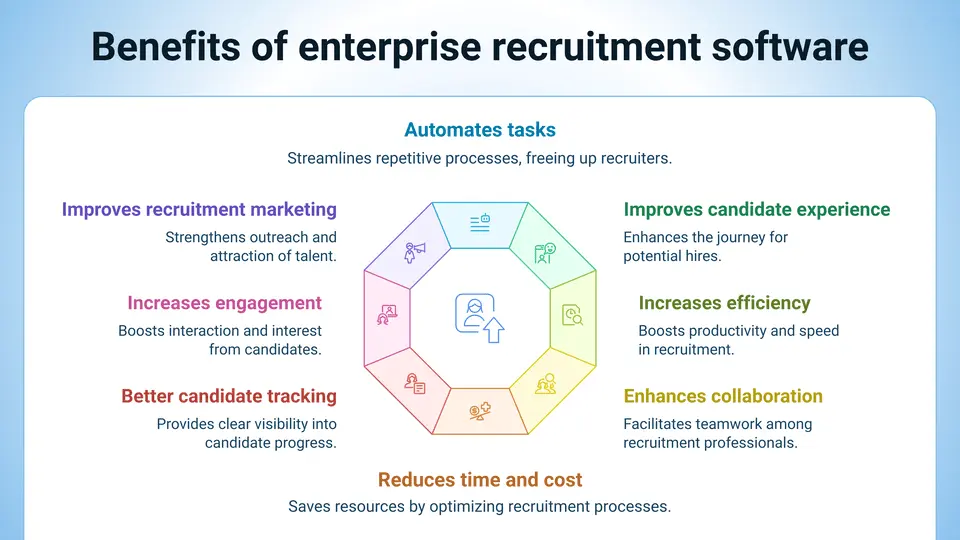
Enterprise recruitment software helps you save time, reduce your manual errors, improve hiring quality, and provide a good candidate experience by centralizing your recruitment activities through collaborations and automation.
What are the top enterprise recruitment software?
1. Recruit CRM
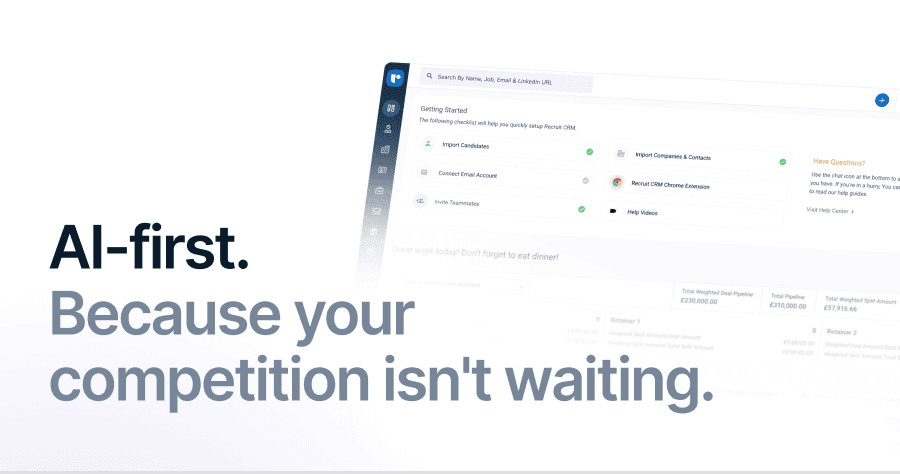
Recruit CRM is an AI-powered applicant tracking system and recruitment CRM designed for recruitment agencies and in-house recruitment teams to make their hiring process easy. It is trusted by recruitment teams in over 100 countries for workflow management.Recruit CRM offers the following features:
- AI-powered resume parsing and candidate matching
- Automated email sequencing
- Pipeline tracking
- Chrome sourcing extension for quick candidate imports
- Customizable hiring pipelines
- Reporting tools
- User-friendly design
- Free trial
Capterra rating: 4.9/5(opens in a new tab)
2. Greenhouse
Greenhouse is an enterprise recruitment platform that can support you using recruitment tools for job posting, candidate tracking, interview management, and candidate onboarding. Some of its notable functions are- Customizable hiring pipelines
- interview scheduling tools
- Job posting on job boards
- Analytics and reporting
- Performance tracking
- Integration with HR tools
Free trial: Available
Capterra rating: 4.5/5(opens in a new tab)
3. Beamery
Beamery offers applicant tracking and CRM capabilities in one platform for talent lifecycle management. It focuses on providing recruiting teams with proactive candidate engagement, talent pool nurturing, strategic workforce planning, data insights, and automation.Some users find the platform complex (especially the advanced features), but claim it is useful for building long-term talent relationships and gaining data-driven recruitment insights.
Beamery’s key features are
- Candidate relationship management
- Pipeline segmentation
- AI-driven candidate matching
- Automated engagement campaigns
- Customizable workflows
- Reporting tools
Capterra rating: 4.5/5(opens in a new tab)
4. SmartRecruiters
SmartRecruiters is a comprehensive enterprise talent acquisition software that offers ATS, recruitment marketing, and hiring collaboration tools in one platform. It is recognized globally by large recruiting teams for its easy-to-use interface.Some of its key features are as follows:
- Multi-channel job distribution
- Candidate screening
- Interview scheduling
- Collaboration tools
- Reporting and performance tracking
- Integration with various HR systems
Capterra rating: 4.2/5(opens in a new tab)
5. Fetcher
Fetcher is an AI‑driven recruitment sourcing platform that helps you find and engage candidates by using automated sourcing, candidate outreach, and analytics. This is useful for enterprises seeking large‑scale talent acquisition and relationship-building.Its key features are
- Automated candidate sourcing
- AI-powered candidate outreach
- Automated candidate engagement
- Customizable candidate pipelines
- Performance tracking features
- Analytics to monitor sourcing performance
Free trial: Available
Capterra rating: 4.6/5(opens in a new tab)
6. iCIMS Talent Cloud
iCIMS Talent Cloud is a recruitment platform that primarily supports your entire talent lifecycle from sourcing to onboarding. It helps you by centralizing data, automating hiring workflow, and integrating with your HR system for talent acquisition management.Its functions and unique features are,
- Applicant tracking system
- Candidate relationship management
- Automated candidate sourcing
- Job posting distribution
- Onboarding tools
- Advanced reporting and analytics
Free trial: Available
Capterra rating: 4.3/5(opens in a new tab)
7. Deel
Deel is a global hiring and payroll management platform that helps you hire talent through compliant recruitment tools and payroll features. Its integrated approach to global hiring makes international recruitment easier, thus increasing the quality of your talent pool.Its functions and unique features are
- Global candidate sourcing
- Compliance talent management features
- Automated offer generation
- Contract management
- Payroll and payment tools for international teams
- Talent management and onboarding workflows
Capterra rating: 4.8/5(opens in a new tab)
8. Pinpoint
Pinpoint is a modern applicant tracking system that helps you attract and hire top talent through automation and candidate engagement. The platform is designed to help organizations reduce their administrative work and improve hiring outcomes.Its functions and features are
- Automated candidate tracking
- Automated interview scheduling
- Customizable hiring workflows
- Team collaboration tools
- Real-time reporting and analytics
- GDPR-compliant features for data security
Free trial: Available
Capterra rating: 4.7/5(opens in a new tab)
9. Manatal
Manatal is a cloud‑based applicant tracking system that supports recruiting teams of all sizes with its AI‑enabled matching and pipeline management features. It is suitable for enterprise teams that require basic automation features with an intuitive interface.It offers
- AI-powered candidate matching and sourcing
- Customizable recruitment pipelines
- Job posting distribution across multiple boards
- Reporting and analytics tools
Capterra rating: 4.7/5(opens in a new tab)
How to choose the best enterprise recruitment software in 4 easy steps?
Step 1: Define your requirements
The first step in choosing enterprise recruitment software is to clearly define your recruitment goals. Once you have them figured out, it becomes easy to identify which software features are non-negotiable for your organization.Applicant tracking system (ATS), candidate management, and interview scheduling are some of the must-have features that you should not miss.
Compared to those, AI-powered candidate matching, workflow automation, and advanced reporting tools are good-to-have features. The same focus on automation can also extend to other repetitive digital tasks, with SEO automation tools(opens in a new tab) helping teams streamline ongoing optimization work.
You must take your time to map out your current hiring processes and identify the areas and features that need improvement. Differentiate between essential features and nice-to-have features before you begin your software hunt.
For example, if you are a global hiring team, integrating with global job boards and tracking compliance are essential features to target.
Step 2: Calculate the cost you would require
The total cost of ownership (TCO) is not limited to just the software license fees. It includes associated costs such as implementation, training, customization, and ongoing support, as well as potential hidden fees for add-ons or integrations. Conducting an AI support TCO comparison(opens in a new tab) can help teams identify and evaluate these additional costs more accurately.To calculate TCO, you should consider the following costs:
- Upfront costs: One-time expenses required to make a purchase, such as subscription fees, setup, and training charges.
- Ongoing costs: These are recurring expenses required to keep the software running, including software support fees, maintenance fees, upgrade purchases, and licensing fees.
- Hidden costs: These are the unforeseen or indirect charges for additional features, integrations, or users.
Step 3: Take up demo trials
Once you’ve identified a few enterprise recruitment software options, check whether they offer any demo trials. These demo trials give you hands-on experience with the software and help you assess its compatibility with your organizational needs and workforce.During a demo trial, focus on testing key features, including candidate tracking, reporting, and workflow automation.
Ensure the platform integrates seamlessly with your existing tools or HR systems and enables easy customization. Most importantly, check how intuitive the system is for your team members. For enterprises with unique operational requirements, investing in custom enterprise software development solutions(opens in a new tab) can further improve integration flexibility, automation, and long-term scalability.
Step 4: Check online reviews
Before making a final decision, look up reviews and feedback from real users on online platforms like Capterra, G2, and Trustpilot. These spaces provide detailed user experiences that can help you understand the software’s performance, customer support, and scalability.Make sure you receive unbiased software reviews by paying attention to both positive and negative points, especially those related to your specific needs. Look for patterns, such as recurring usability issues, customer support delays, or hidden costs.
FAQs
1. What are the different types of enterprise recruitment software?
Enterprise recruitment software is divided into 4 different types based on its functionality. They are as follows:- Applicant Tracking Systems (ATS): These systems help manage job postings, candidate databases, and hiring workflows.
- Candidate Relationship Management (CRM): CRMs focus on nurturing and managing candidate relationships throughout the hiring process with active and passive candidates.
- Recruitment Marketing Platforms: They focus on building employer brand presence, promoting job openings, and attracting talent by integrating marketing and recruitment.
- Onboarding Solutions: These systems facilitate the onboarding process of new hires, ensuring their smooth transition into the organization.
2. What things should you consider before choosing enterprise recruitment software?
You should consider the following factors before selecting enterprise recruitment software:- Identify the must‑have and good‑to‑have features that your team and organization require.
- Make sure the software can integrate with your existing HR systems, payroll, and other essential tools.
- If your organization has growing recruitment needs, choose software that can adapt quickly to changes.
- Ensure that the platform is easy for your team members to use, provides data security, and complies with industry standards.
- Look out for hidden charges and make sure your total cost of ownership (TCO) aligns with your recruitment budget.
3. What ROI can I expect from implementing enterprise recruitment software?
Implementing enterprise recruitment software offers significant ROI through time savings and cost reduction. By automating tasks like resume parsing, candidate tracking, and job posting, recruitment teams can reduce time-to-hire and lower costs associated with external agencies and manual processes. Additionally, improved candidate screening enhances the quality of hires, contributing to higher retention rates.4. Does enterprise recruitment software support interview scheduling?
Yes, most enterprise recruitment software includes interview scheduling as a key feature, allowing recruiters to automate the process. It typically integrates with calendar systems (e.g., Google Calendar or Outlook) to show available slots and send automated reminders to both candidates and hiring managers. Many platforms also offer collaborative tools that let multiple team members suggest and select interview times.


Blog written by
Lathiba R
Senior associate content writer at Recruit CRM
Lathiba is a Senior Associate Content Writer at Recruit CRM who creates engaging, insight-driven content for recruiters. She specializes in addressing real recruiter pain points and turning them into practical, easy-to-apply solutions that help improve hiring outcomes. Alongside research-backed content, she crafts witty, relatable social media pieces that bring a fresh, human perspective to recruitment.
Stay ahead with the smartest
recruitment newsletter out there!
Join the recruiters who never miss what’s next.





![How to master effective candidate communication? [Free outreach templates inside]](/static-assets/_next/image/?url=https%3A%2F%2Frecruitcrm.io%2Fwp-content%2Fuploads%2F2023%2F05%2FThumbnail-httpsrecruitcrm.ioblogscandidate-communication-1.png&w=828&q=75)



 marketing@recruitcrm.io
%201.4700f78c.svg&w=32&q=75) Workforce Cloud Tech, Inc. 28 Mohawk Avenue, Norwood, NJ 07648.
Workforce Cloud Tech, Inc. 28 Mohawk Avenue, Norwood, NJ 07648.


